About this widget
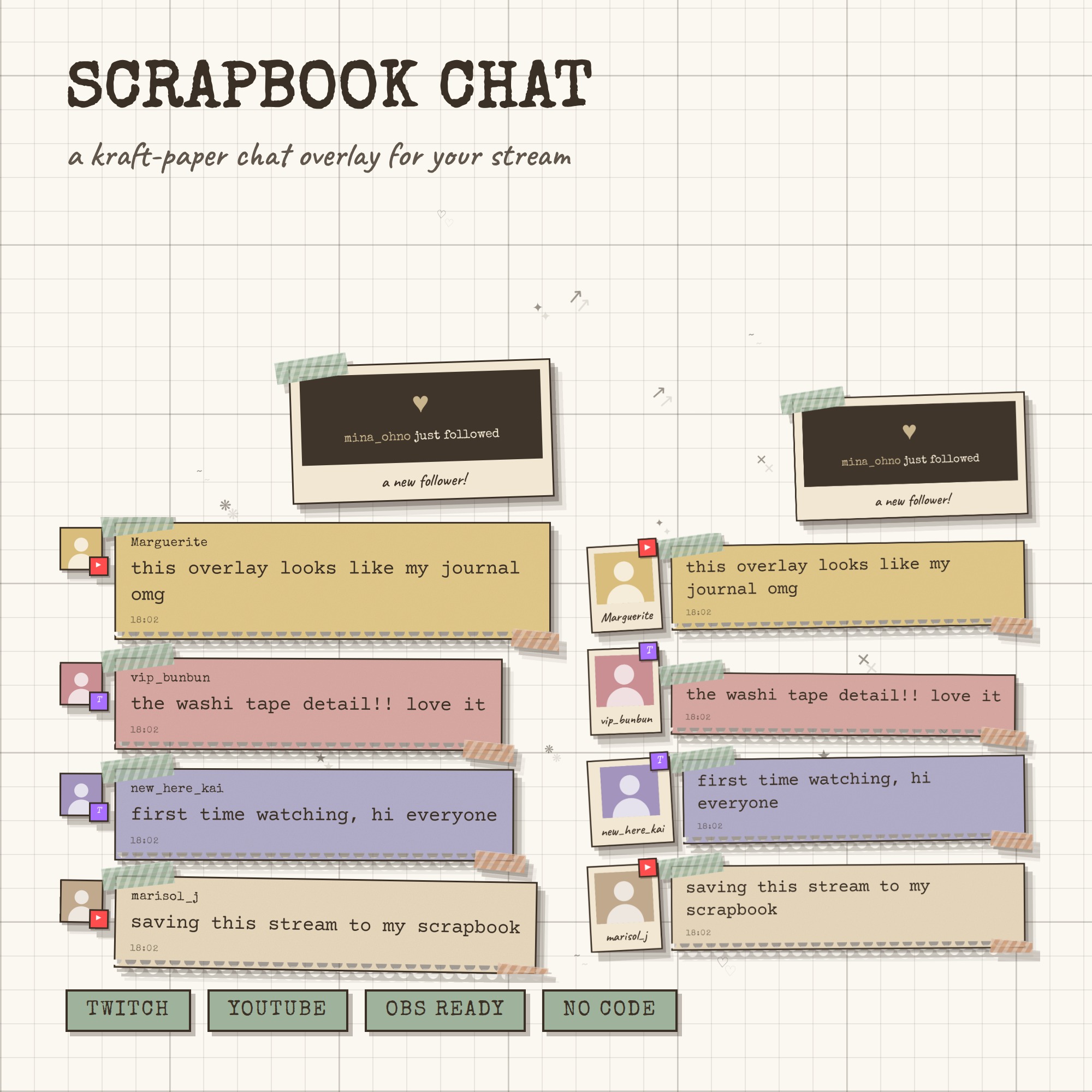
SCRAPBOOK CHAT — your chat, pasted into a paper notebook
A chat overlay that looks like a scrapbook page: torn kraft paper, washi tape, a photo taped beside every message, and each line tapped out by a typewriter. One link into OBS and it runs by itself — no bot account, no StreamElements, no login, no monthly fee.
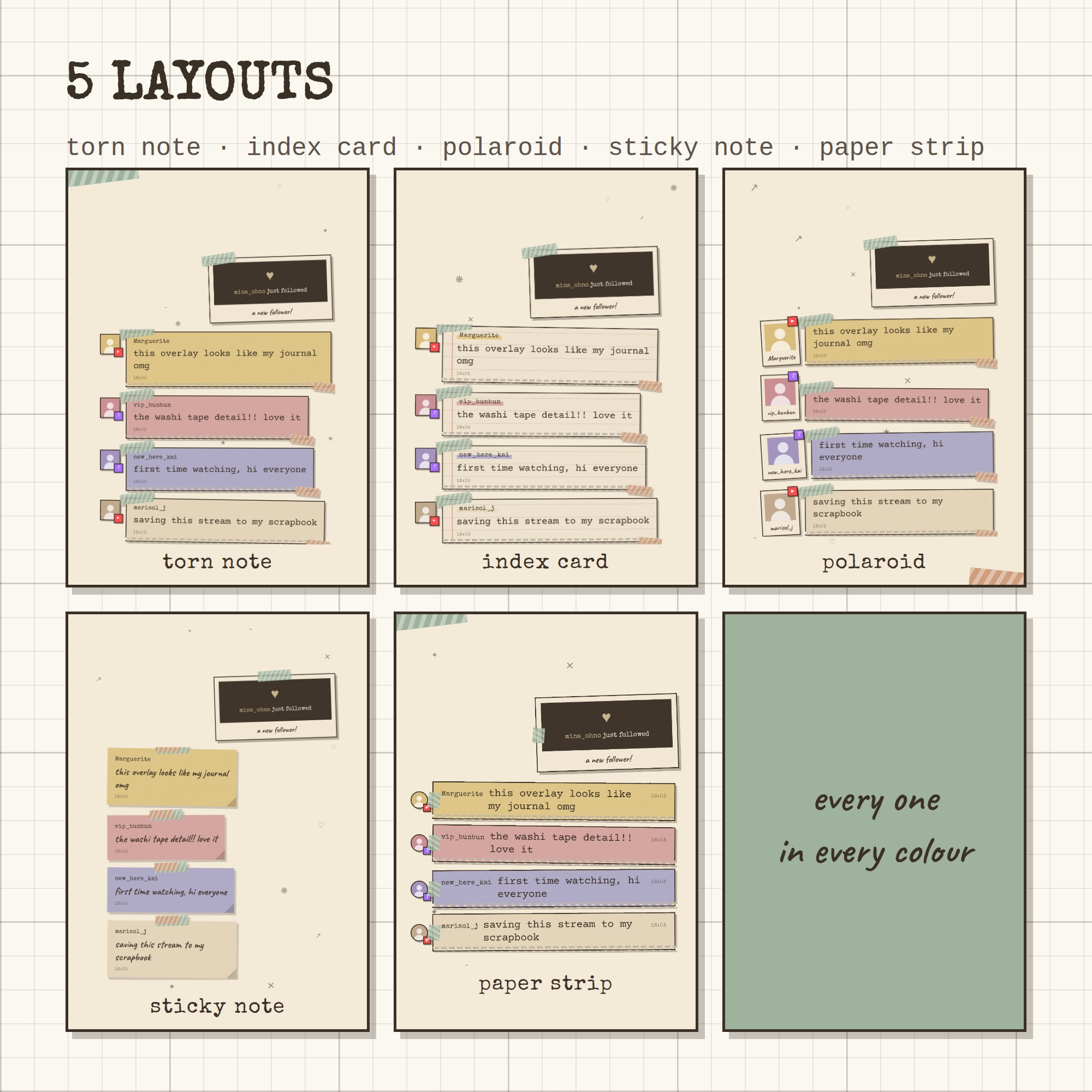
★ 5 LAYOUTS
torn note · index card · polaroid · sticky note · paper strip — one tap each in the control panel, and every one works in every colour.
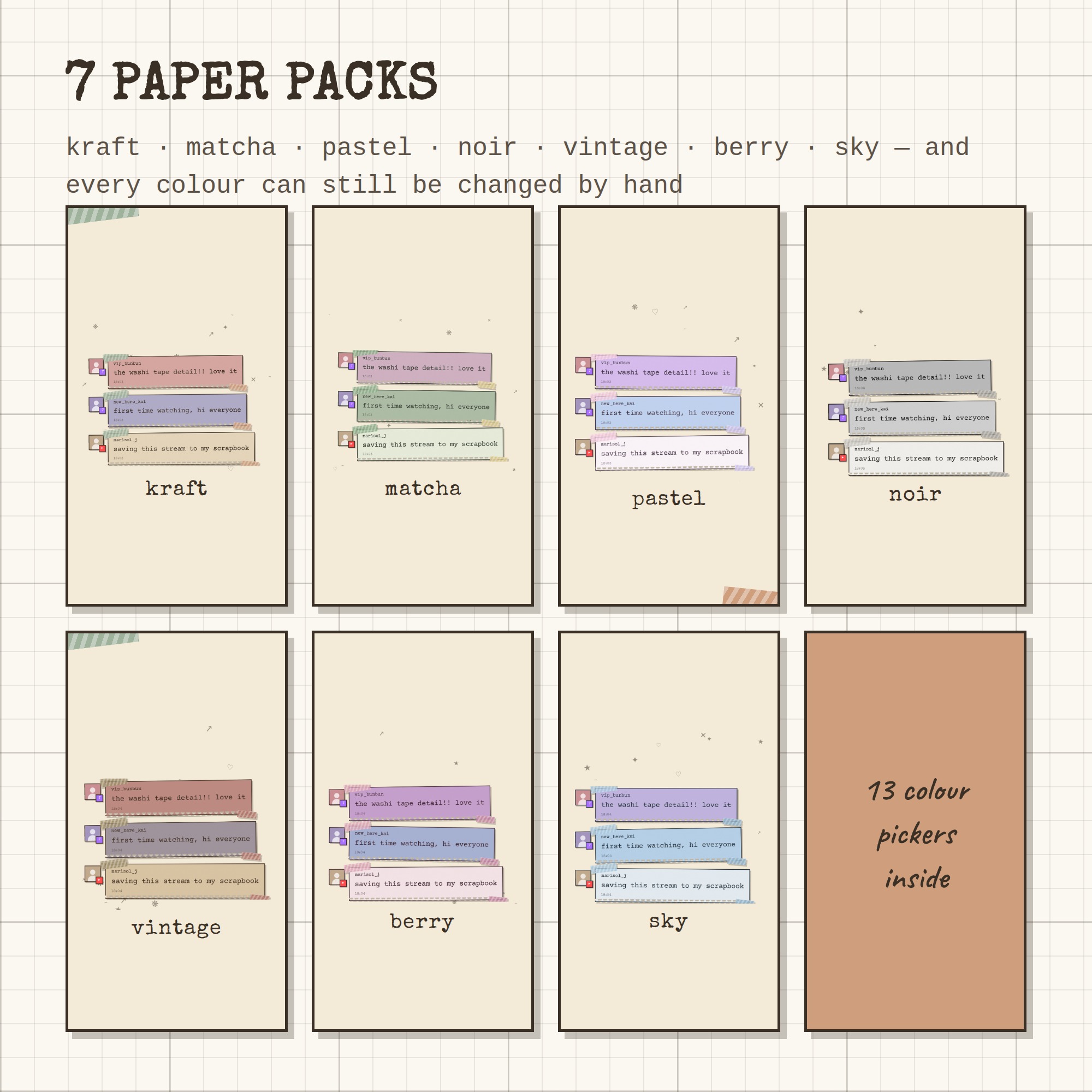
★ 7 PAPER PACKS + 13 COLOUR PICKERS
kraft · matcha · pastel · noir · vintage · berry · sky. Like a pack but want a different tape or a different tint for your mods? Every single colour has its own picker.
★ IT TYPES ITSELF OUT
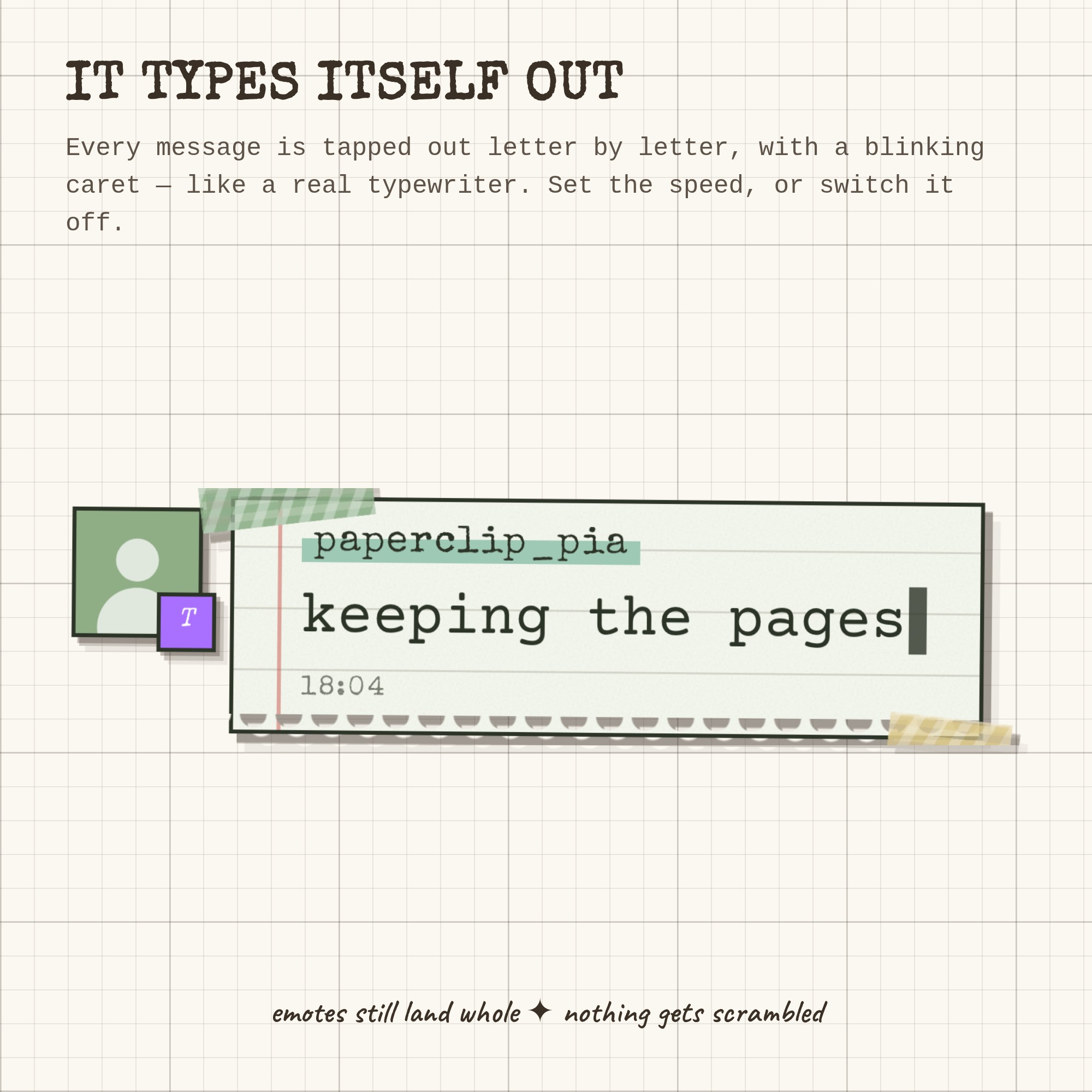
Each message is tapped out letter by letter with a blinking caret. Emotes still land whole. Set the speed, or switch it off.
★ POLAROID ALERTS
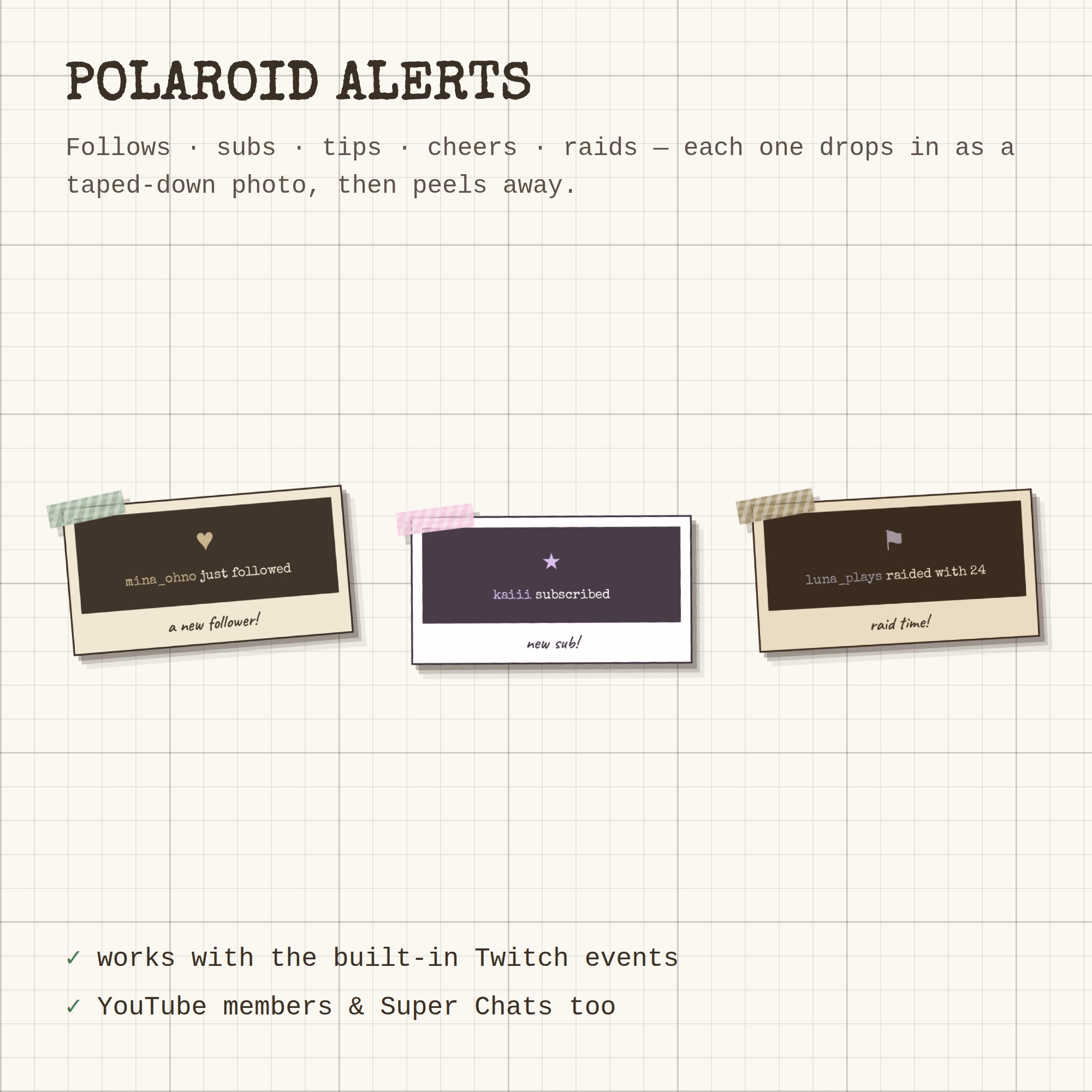
Follows, subs, tips, cheers and raids drop in as a taped-down polaroid, then peel away. YouTube members and Super Chats do the same.
★ FLAT OR TIPPED IN 3D
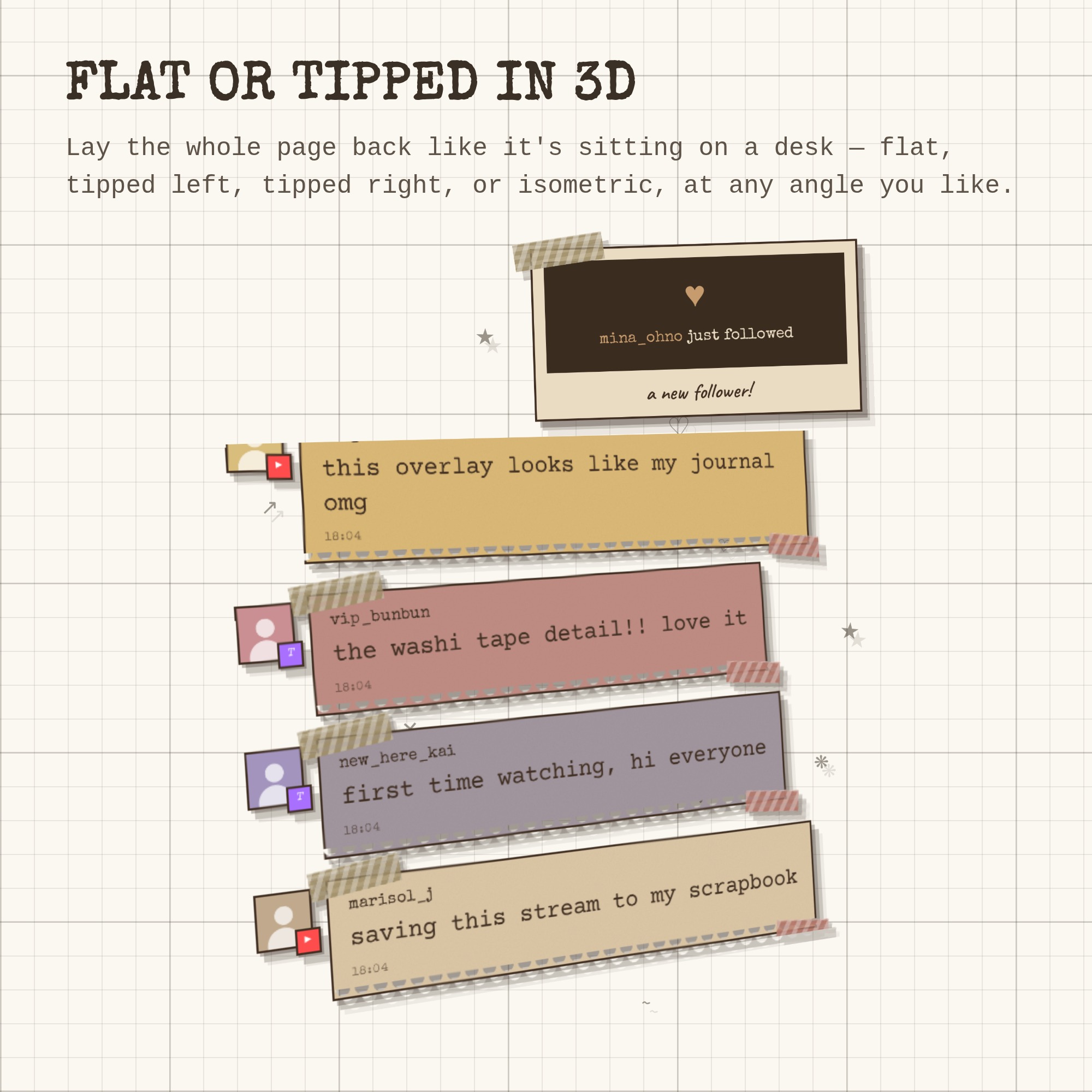
Lay the whole page back like it's sitting on a desk — flat, tipped left, tipped right or isometric, at any angle you like.
★ TWITCH AND YOUTUBE
Twitch needs nothing but your channel name — no login, no bot account. YouTube live chat works with your own free Google API key; the guide walks you through getting one, step by step, and the free daily allowance covers roughly 10 hours of streaming a day at the normal speed (there's a slider to stretch it further). Run both at once and every message is stamped with where it came from. 7TV, BetterTTV and FrankerFaceZ emotes are supported, Twitch badges and profile pictures show up, and !commands and bots are hidden for you.
★ WHAT YOU GET (1 ZIP)
- widget.html — the widget OBS loads, with the fonts baked in
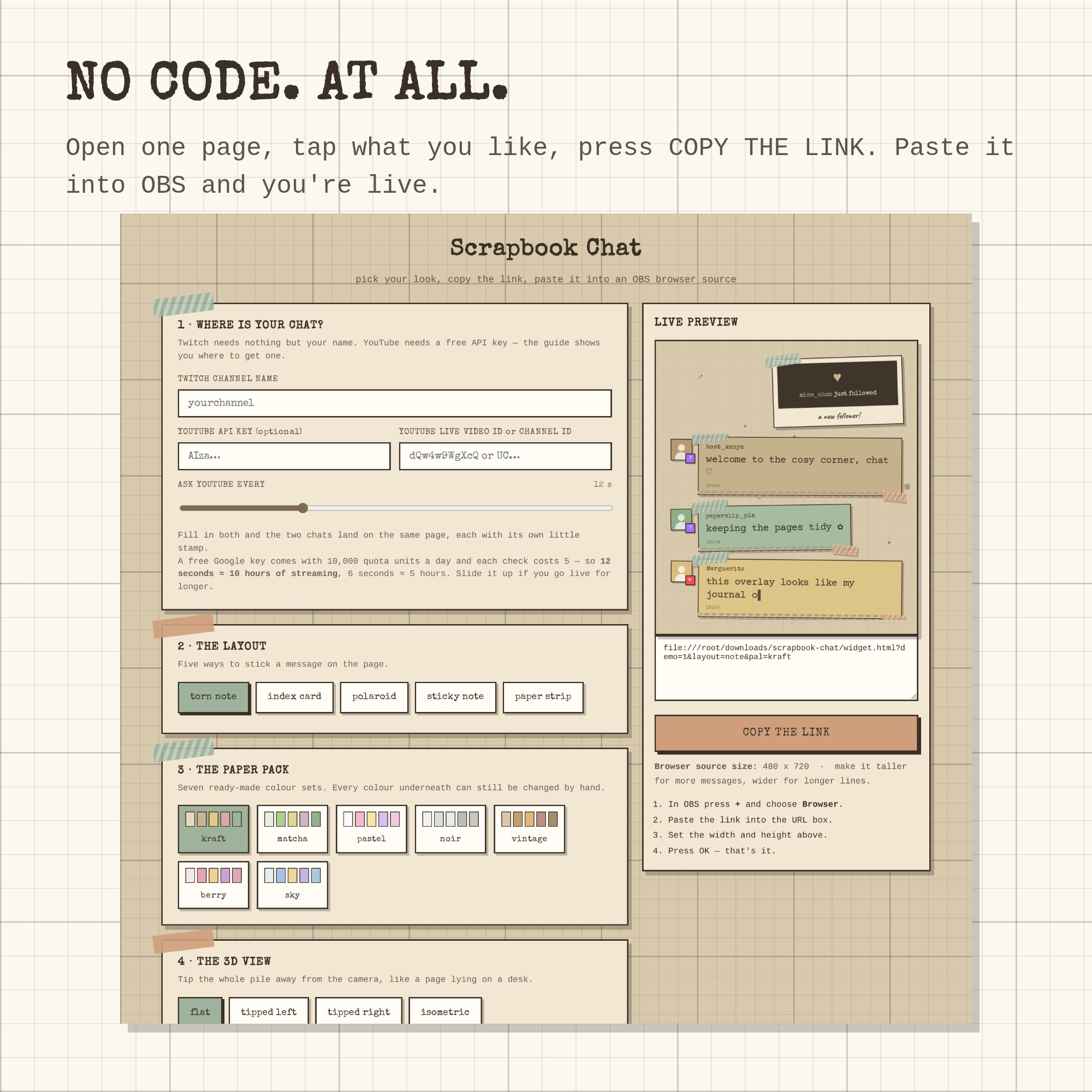
- settings.html — a tap-and-preview control panel that writes your link
- Setup-Guide.pdf — illustrated, 5 pages, step by step
- README.txt — the two minute version
- A free widget from the shop, plus a link to try every overlay live
★ HOW IT WORKS
1. Unzip and open settings.html
2. Type your channel name, tap a layout and a paper pack
3. Press COPY THE LINK
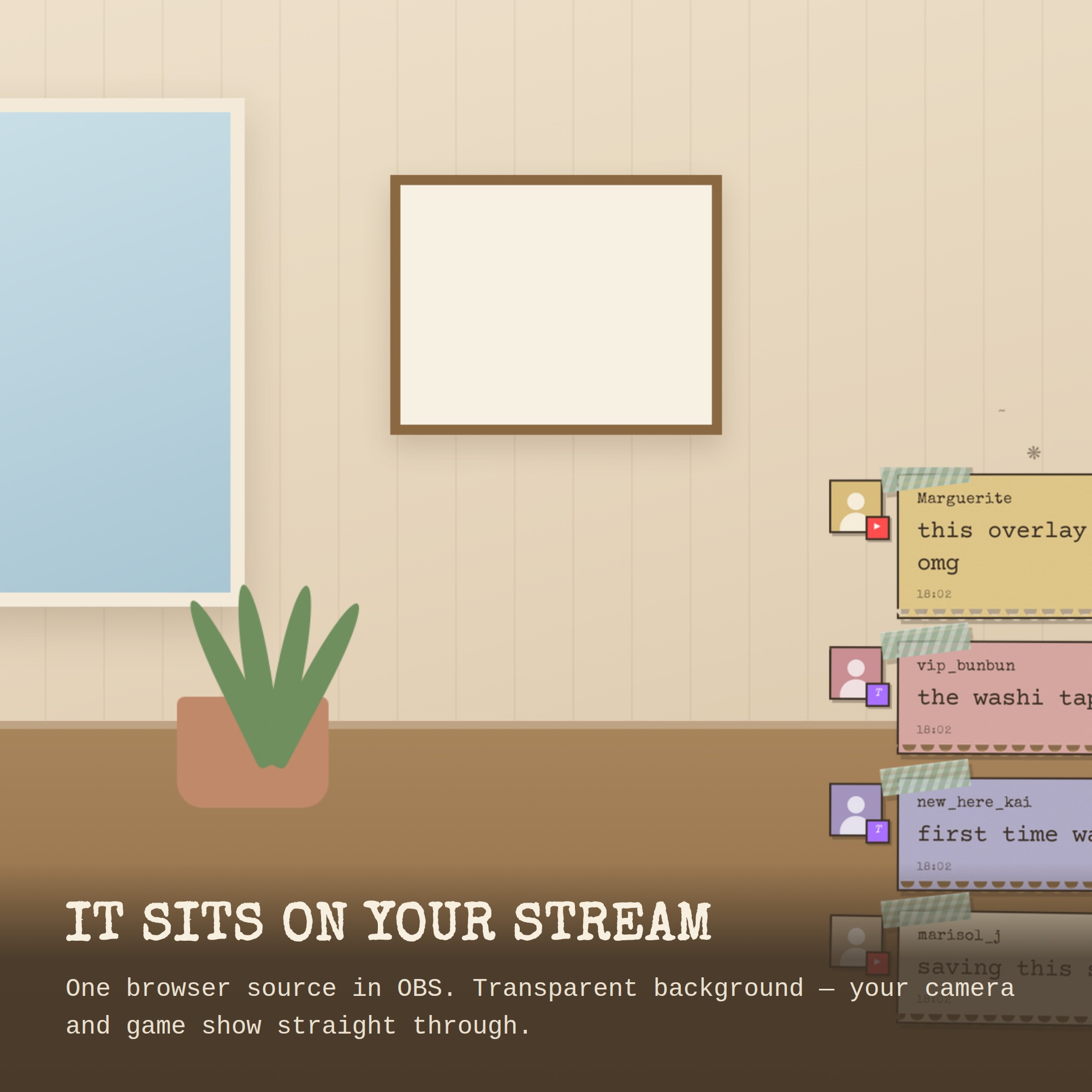
4. In OBS: + → Browser → paste → set the size → done
Works with OBS Studio, Streamlabs and any browser source, on Windows and Mac. Nothing to install.
This is a DIGITAL DOWNLOAD — nothing will be shipped. Single-buyer licence for your own channels, including monetised streams; please do not resell or redistribute the files.