About this widget
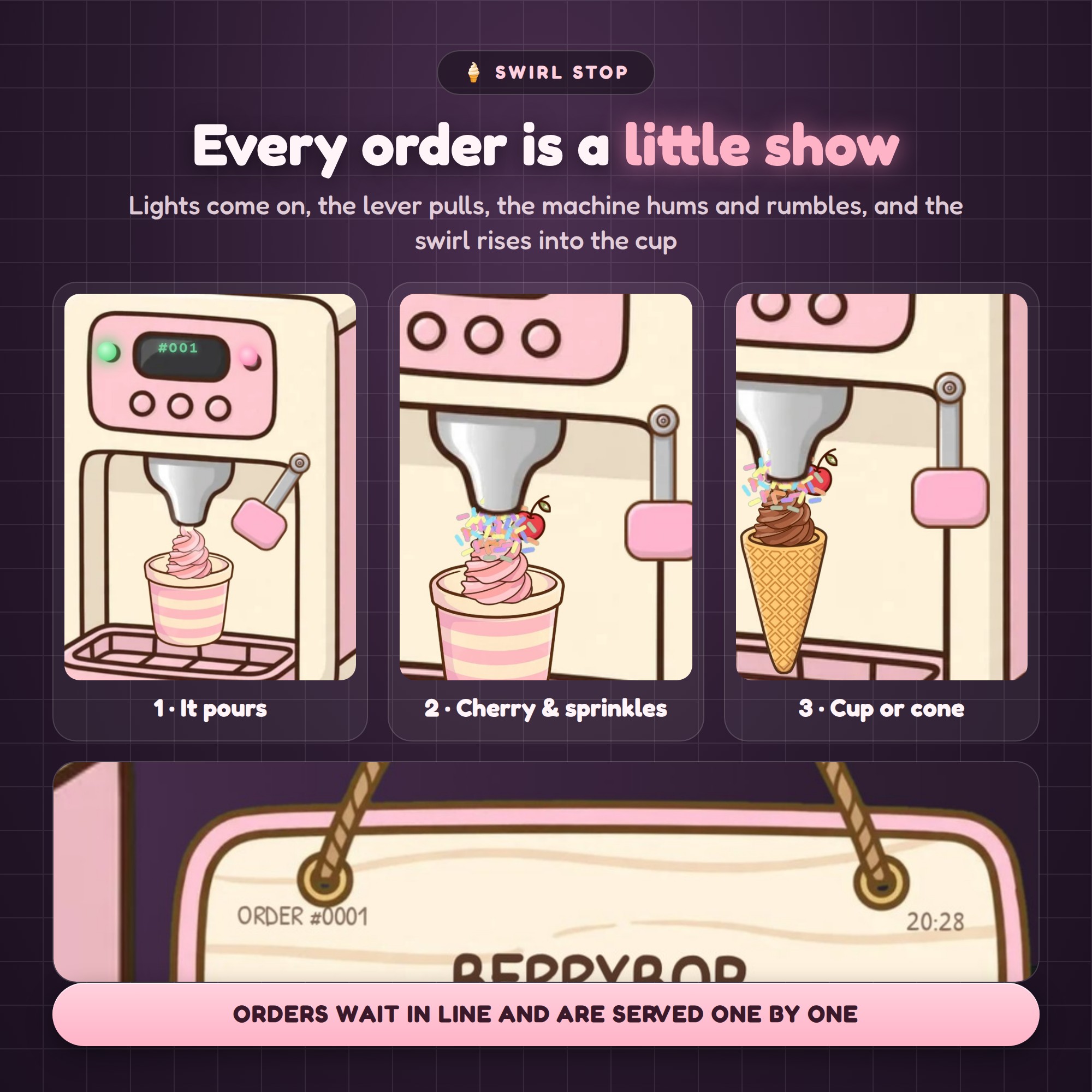
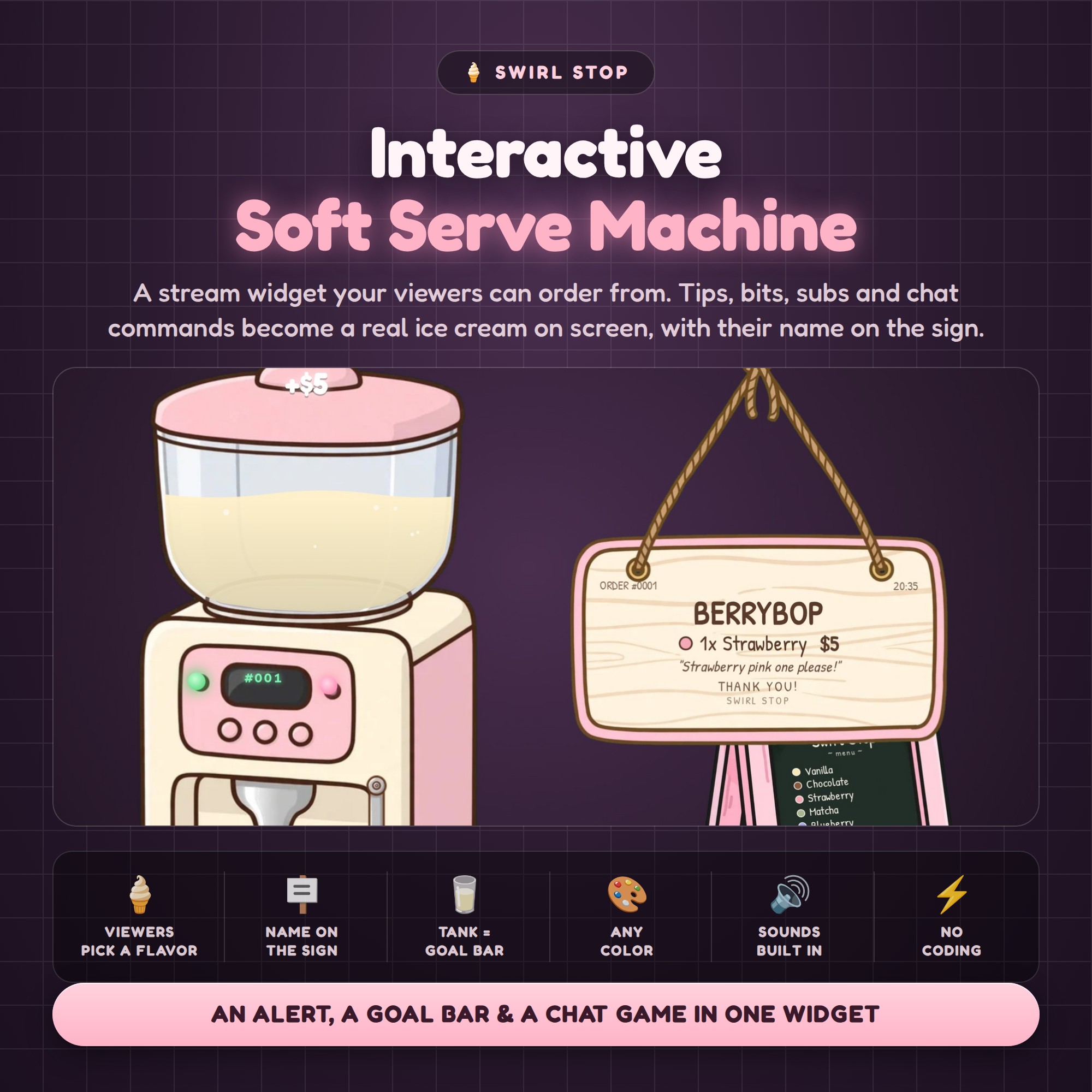
A soft serve machine on your stream that your viewers can order from. Someone tips, cheers, subs, types !order or redeems channel points — the lights come on, the lever pulls, the machine hums, and a swirl of ice cream rises into a cup with their name swinging down on a little hanging sign. The clear mix tank on top is your goal bar, filling up as support comes in.
★ WHAT HAPPENS ON SCREEN
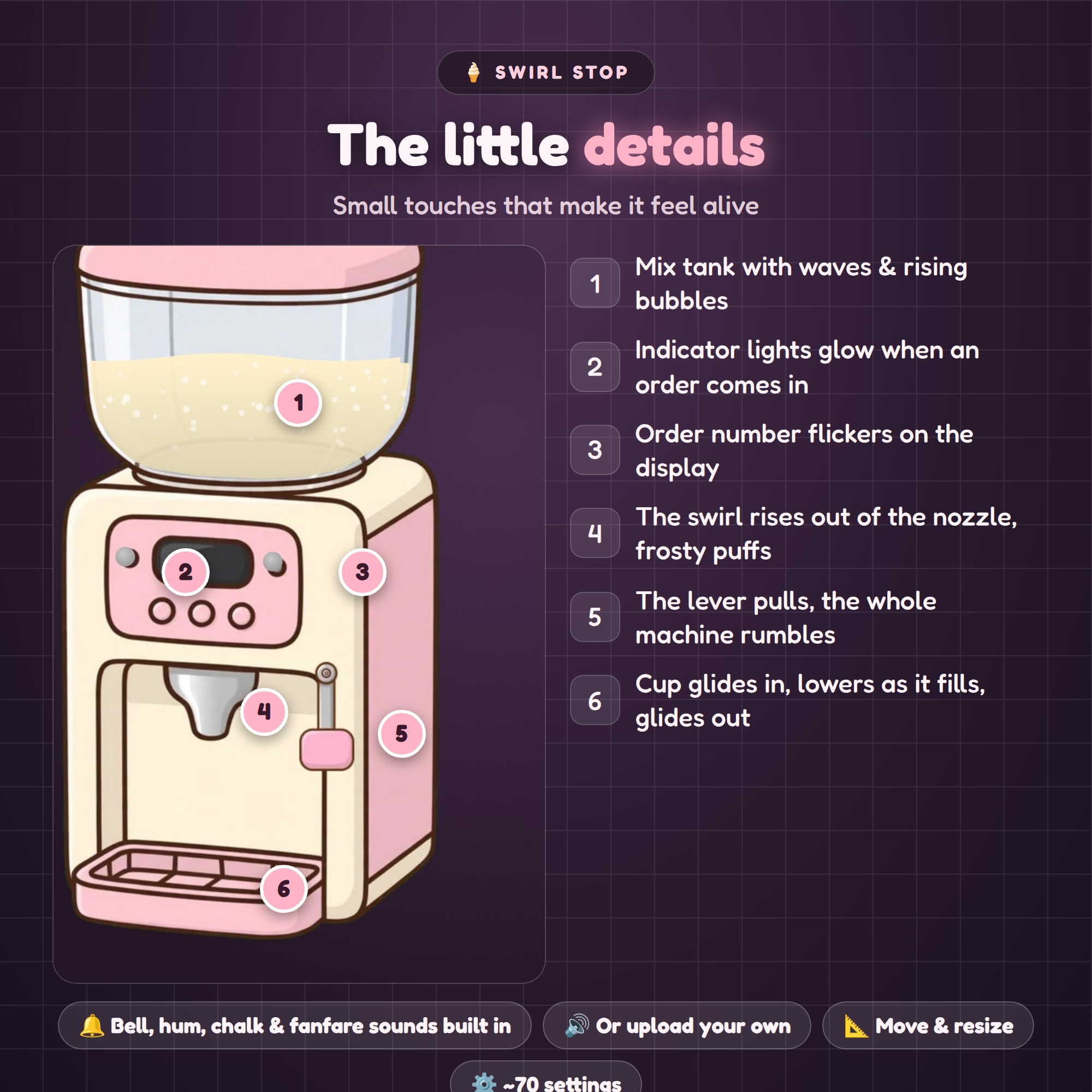
- Indicator lights glow and the order number flickers on the display
- The lever pulls, the machine rumbles, frosty puffs drift out of the nozzle
- A cup (or waffle cone) glides in, lowers as the swirl rises, gets a cherry and sprinkles
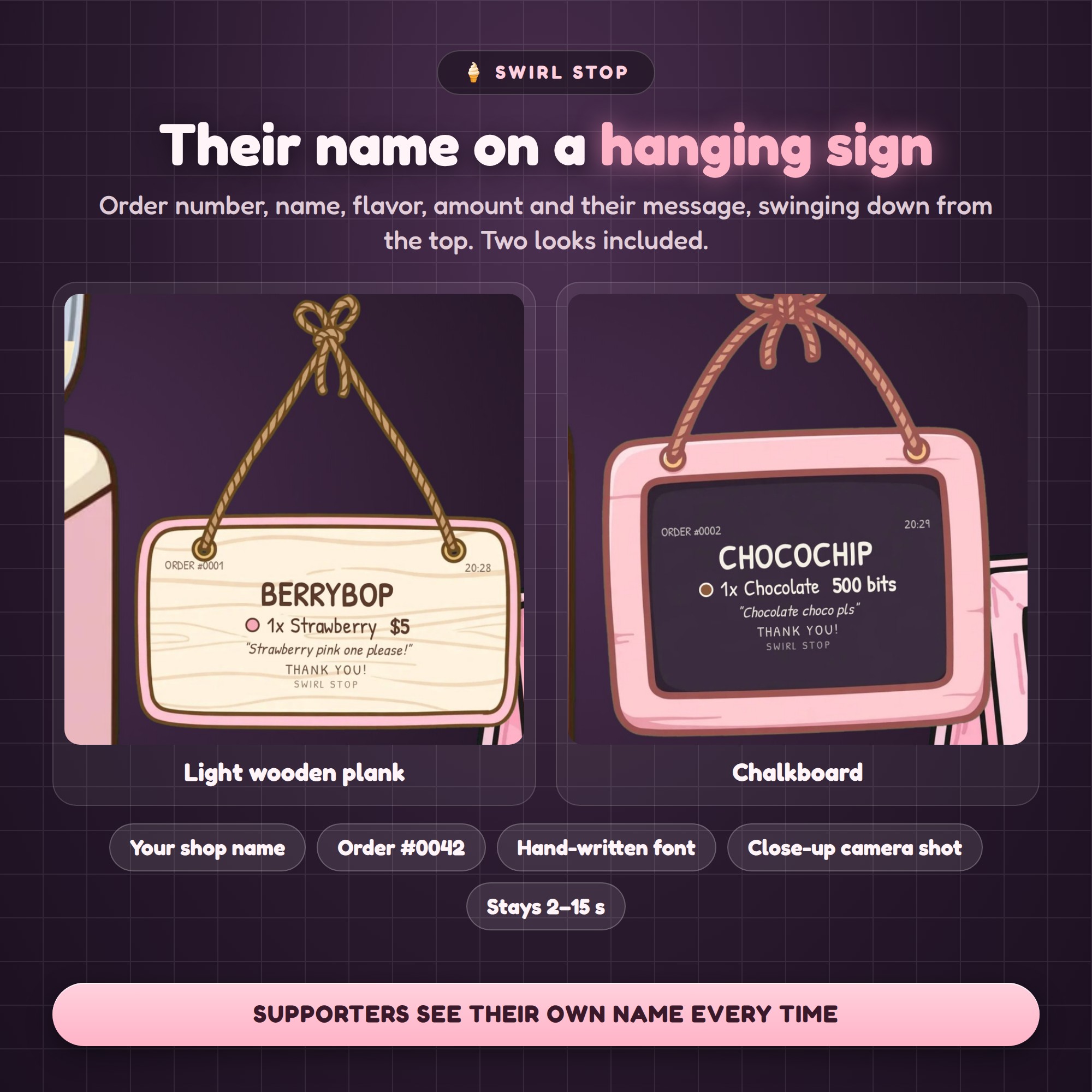
- A hanging sign swings down with their name, flavor, amount and message
- Orders wait in line and are served one at a time
★ VIEWERS PICK THE FLAVOR
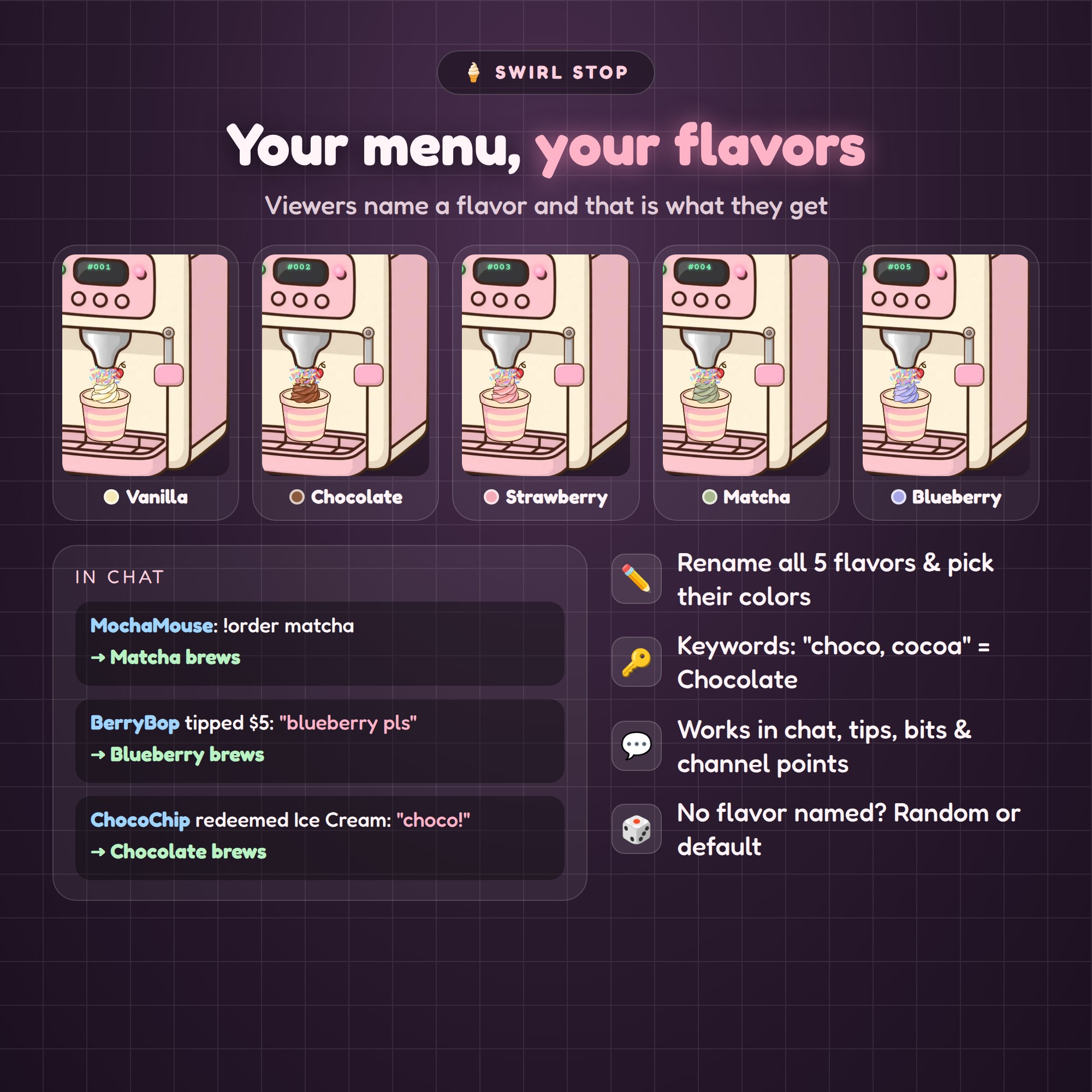
Five flavors — vanilla, chocolate, strawberry, matcha, blueberry — each with its own art. Rename them, recolor the menu dots, and set keywords so "choco" or "cocoa" means chocolate. If no flavor is named, the machine picks a random one or your default.
★ THE TANK IS YOUR GOAL
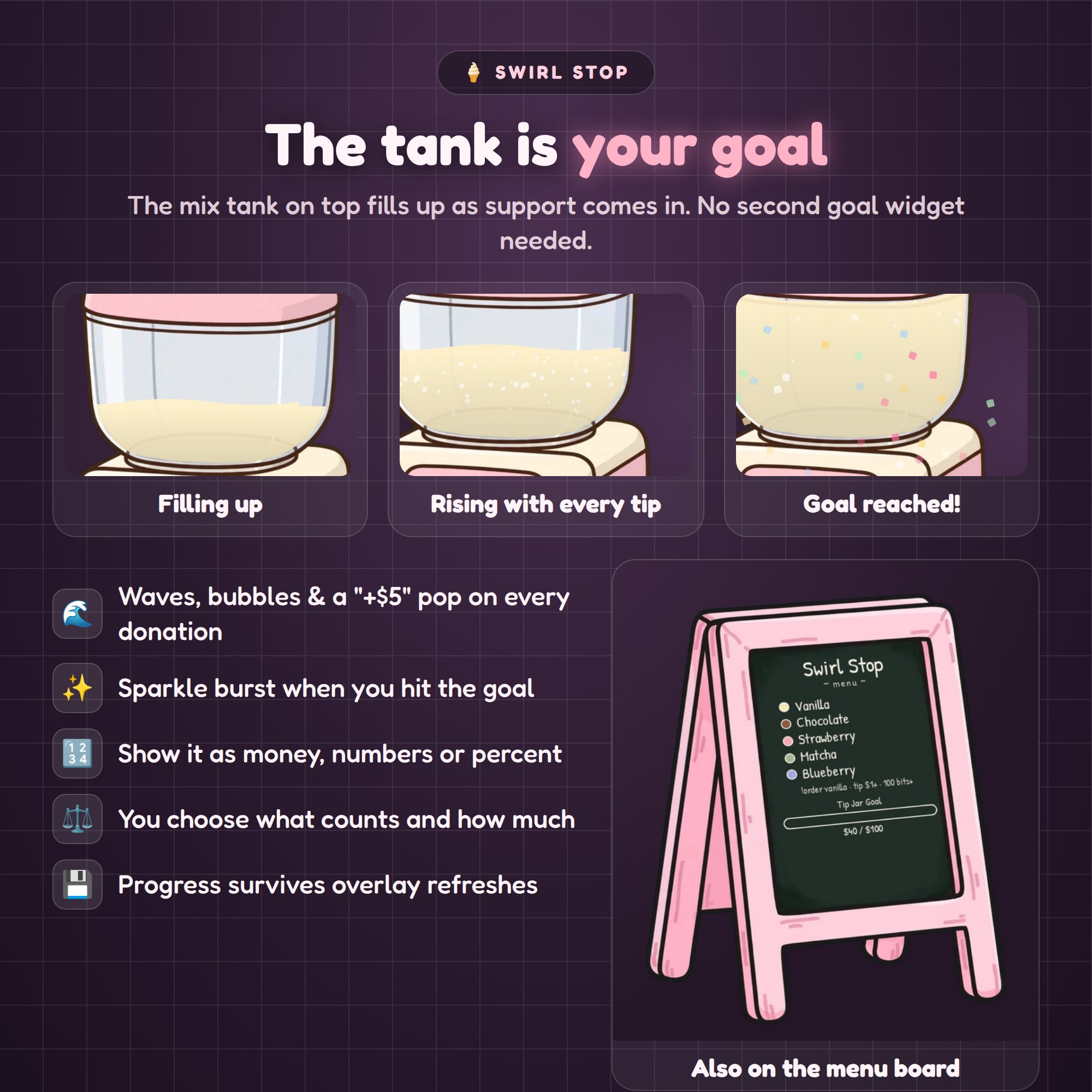
Tips, bits and subs raise the level in the tank (you decide what counts and how much). Waves, bubbles and a "+$5" pop with every donation, a sparkle burst when you hit the goal, and the same goal shows on the menu board. Progress is saved in your overlay, so a refresh does not reset it.
★ WHAT TRIGGERS AN ORDER (each one can be switched on or off)
- Tips, bits, subs, resubs, gift subs, follows, raids
- YouTube Super Chats and members
- A chat command (default !order) — everyone, subs, VIPs or mods only, with a cooldown
- A channel point redemption of your choice
★ MAKE IT YOURS
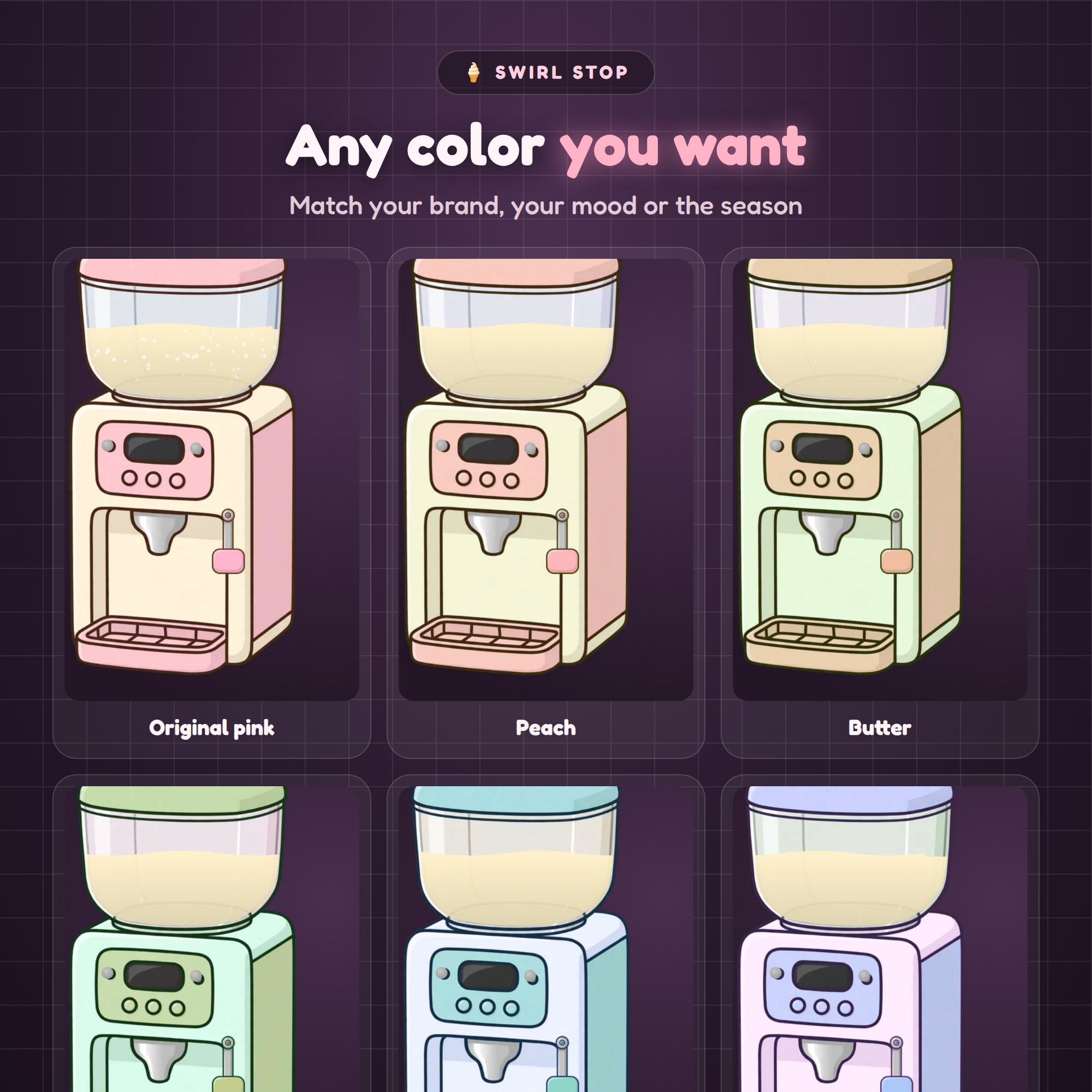
- Hue, saturation and lightness sliders recolor the whole machine (pink, peach, butter, mint, sky, lavender, cherry, charcoal, snow… anything)
- Your shop name on the menu board and the sign
- Cup or cone, cherry / wafer / caramel / waffle topping, sprinkles on or off
- Wooden plank or chalkboard sign, close-up camera shot on or off
- Bell, machine hum, chalk scribble and goal fanfare sounds are built in — or upload your own
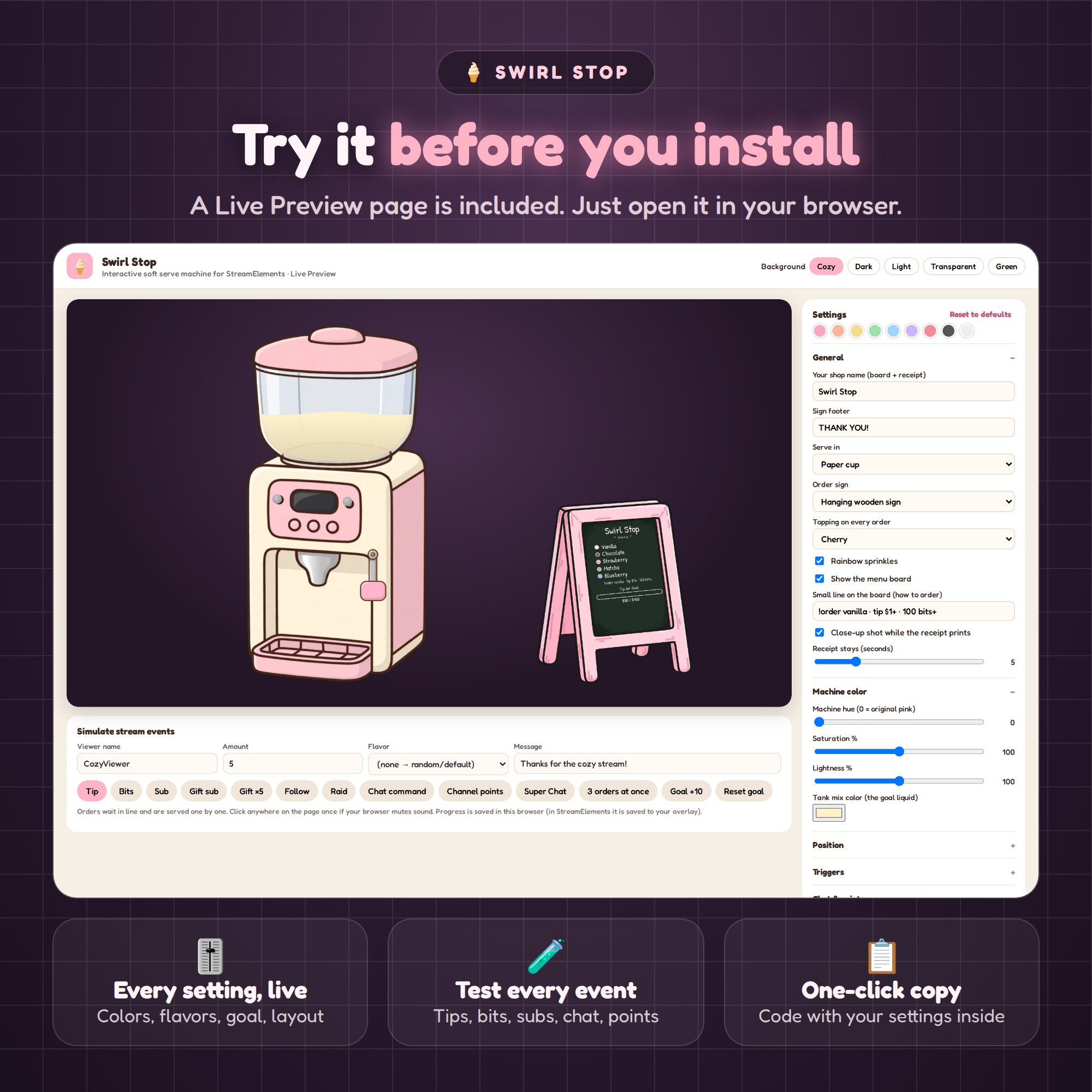
- Around 70 settings, all in the StreamElements panel. No code.
★ TRY IT BEFORE YOU INSTALL
A Live Preview page is included. Open it in your browser, change every setting, press the buttons to fire fake tips, bits, subs, chat orders and channel points, then copy the four parts with your settings already inside.
★ WHAT YOU GET (1 ZIP)
- 1 - Live Preview.html — customize, test and copy
- Widget code: HTML, CSS, JS and FIELDS files for a StreamElements Custom Widget
- HOW-TO-USE.txt in plain English
- Art and sounds are built into the code — nothing to host or upload
★ HOW TO INSTALL
1. Open the Live Preview and set it up the way you like
2. StreamElements → My Overlays → New Overlay → Custom Widget → Open Editor
3. Paste HTML, CSS, JS and FIELDS into the matching tabs
4. Add the overlay to OBS or Streamlabs as a browser source and go live
Needs a free StreamElements account (that is what reads your tips, subs and chat). Works with Twitch and YouTube, in OBS Studio and Streamlabs Desktop.
This is a DIGITAL DOWNLOAD — nothing will be shipped. Personal license for your own channels; please do not resell or redistribute the files.