About this widget
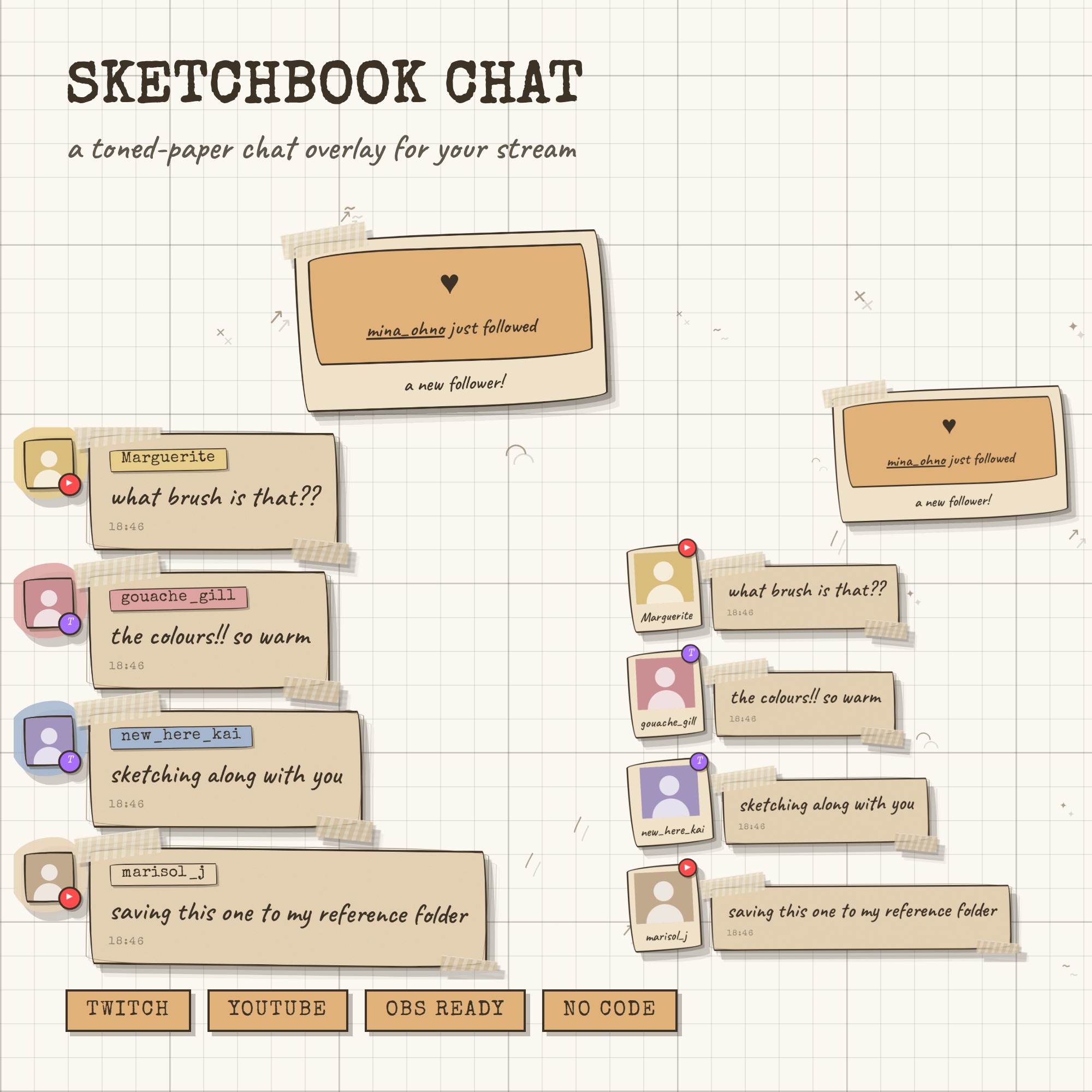
SKETCHBOOK CHAT — your chat, drawn into your sketchbook
A chat overlay that looks like the sketchbook on your desk: toned tan paper, every box drawn by hand and gone over a second time the way an artist always does, usernames sitting on swatches of gouache, and masking tape torn at both ends holding it down. One link into OBS and it runs by itself — no bot account, no StreamElements, no login, no monthly fee.
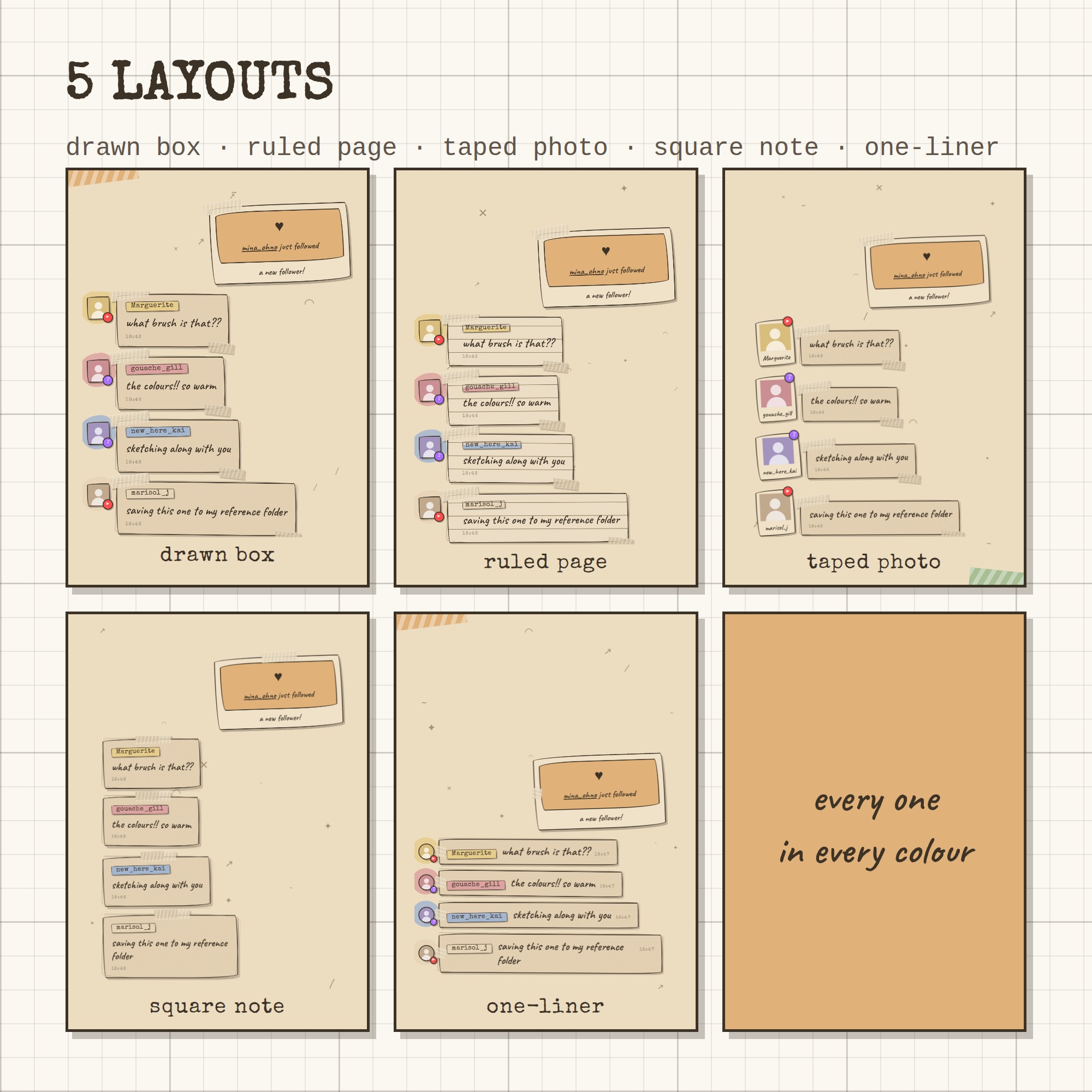
★ 5 LAYOUTS
drawn box · ruled page · taped photo · square note · one-liner — one tap each in the control panel, and every one works in every colour.
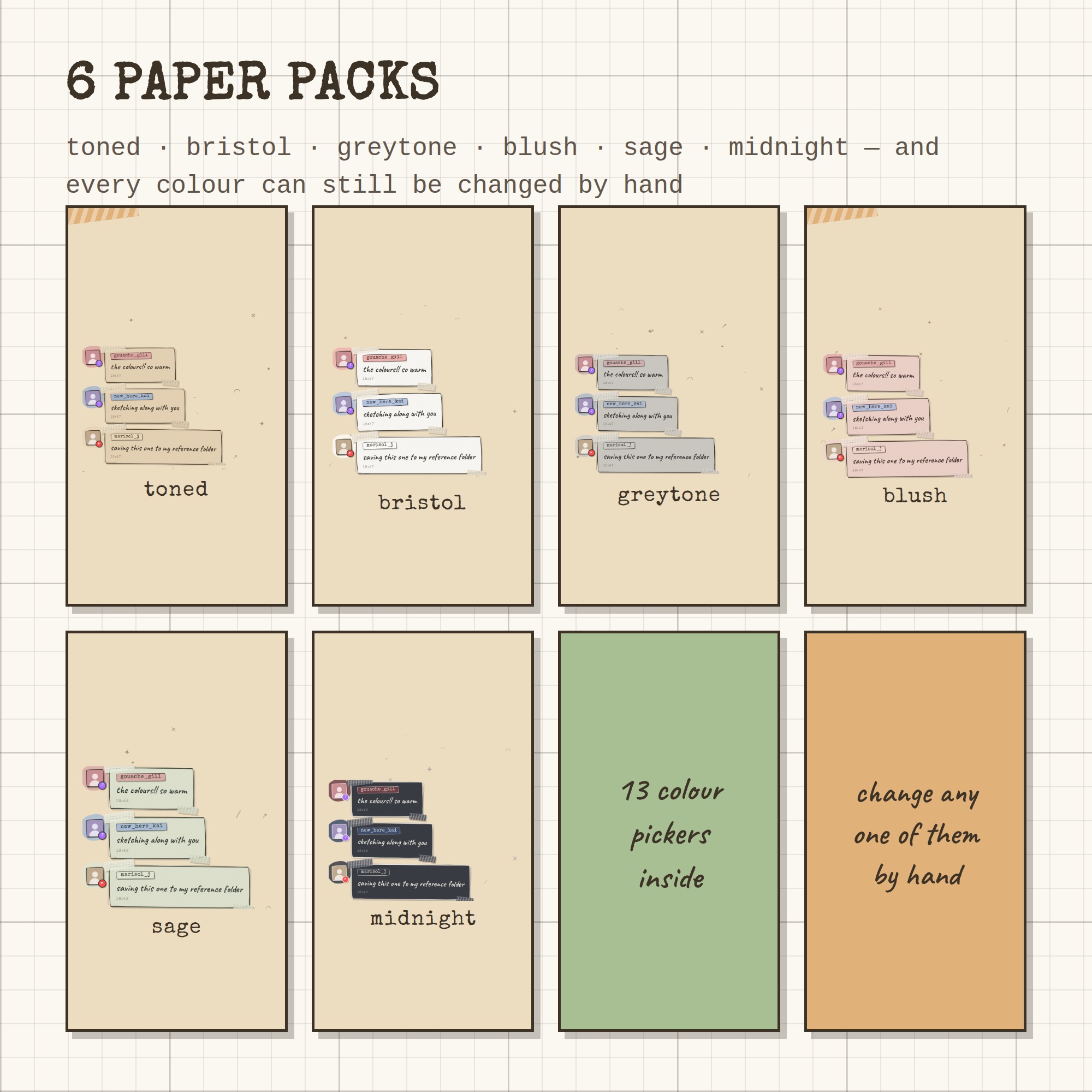
★ 6 PAPER PACKS + 13 COLOUR PICKERS
toned · bristol · greytone · blush · sage · midnight — warm toned paper, clean bristol white, cool grey, blush, sage, and a dark pack for night streams. Want a different tape or a different swatch for your mods? Every single colour has its own picker.
★ NOTHING IS A STRAIGHT LINE
Every box, every swatch and every photo frame is drawn with a wobble and a second pencil pass over the top, so it reads as made by hand rather than generated.
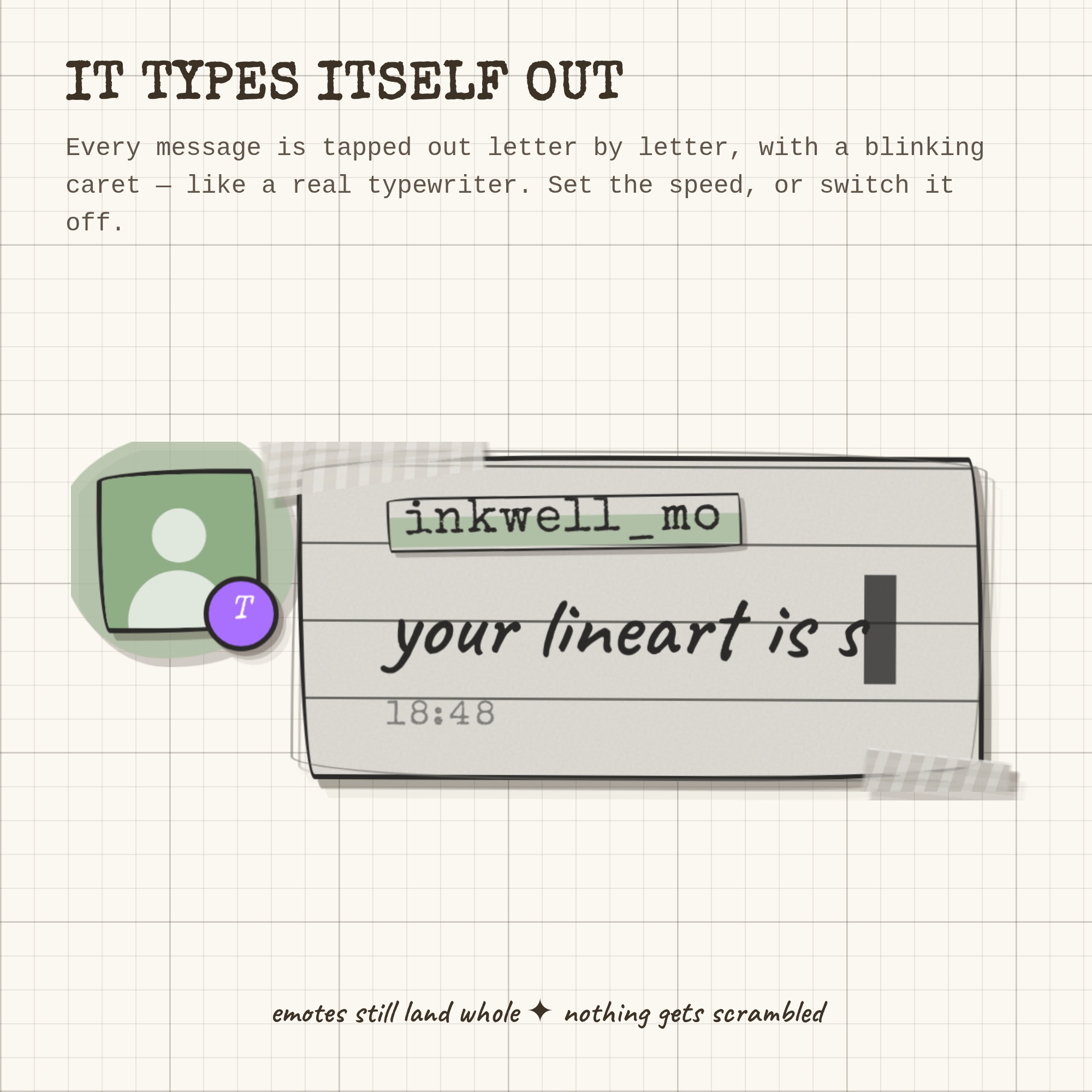
★ IT WRITES ITSELF OUT
Each message is tapped out letter by letter with a blinking caret, in a marker hand. Emotes still land whole. Set the speed, or switch it off.
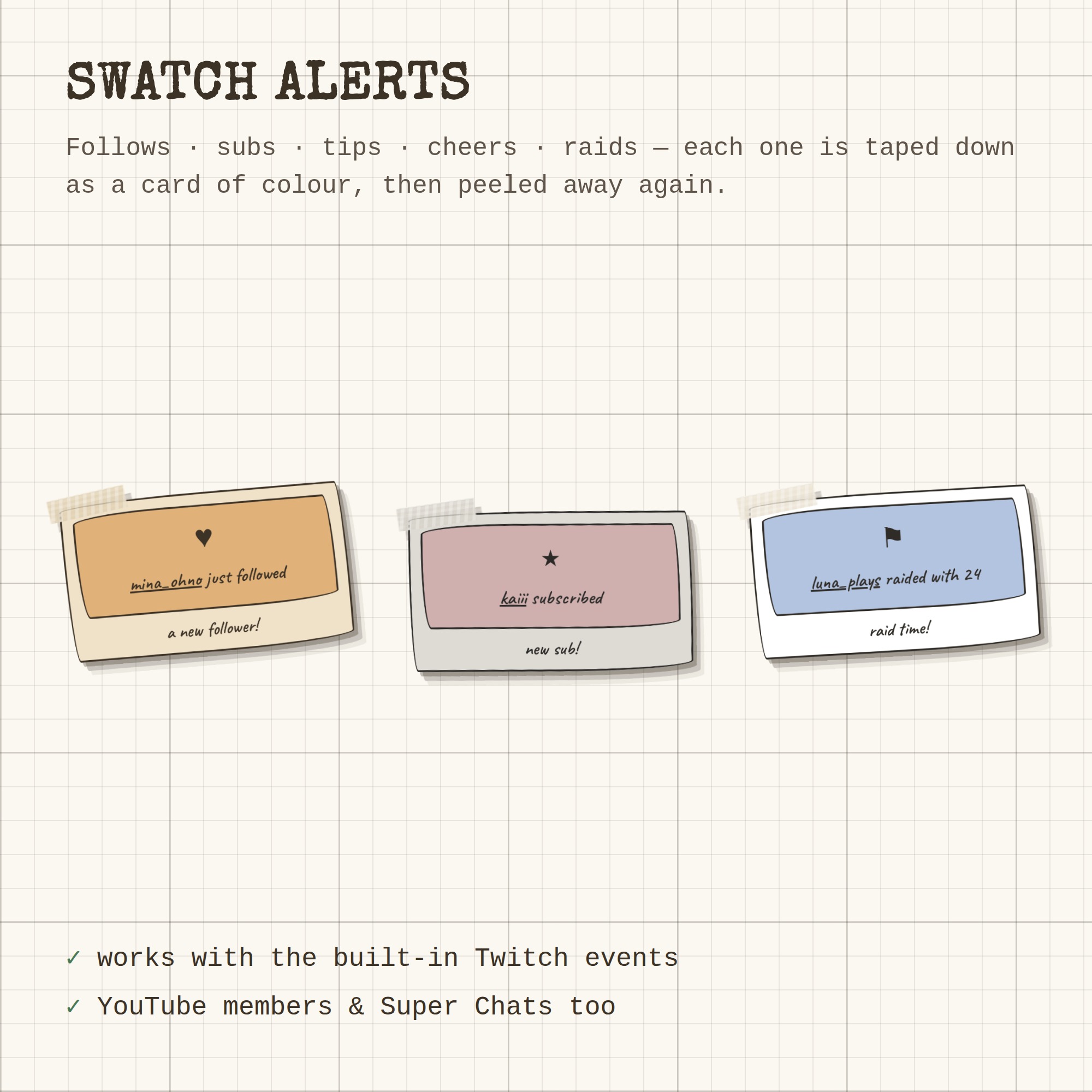
★ SWATCH ALERTS
Follows, subs, tips, cheers and raids are taped down as a card of colour, then peeled away again. YouTube members and Super Chats do the same.
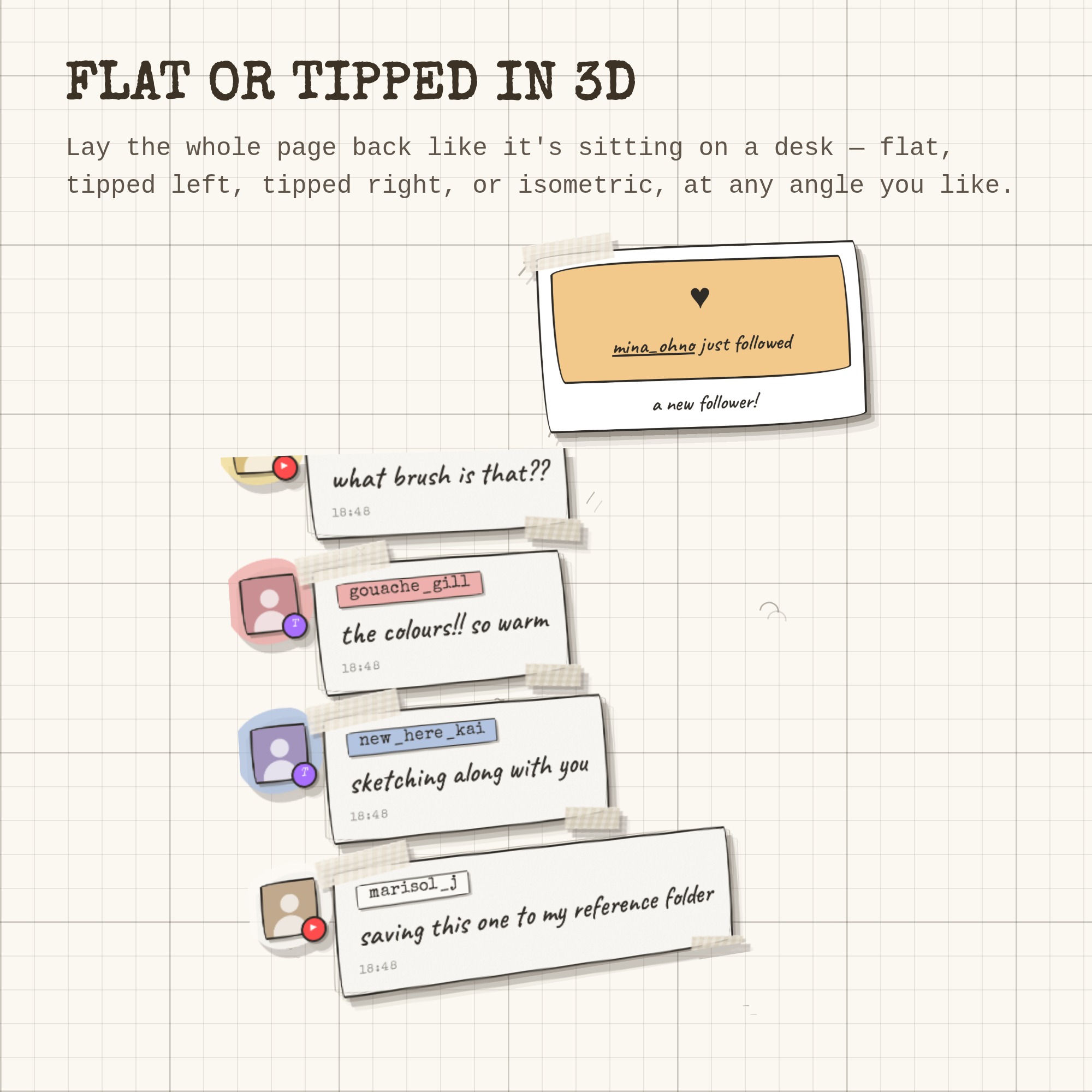
★ FLAT OR TIPPED IN 3D
Lay the whole page back like it's lying on a desk — flat, tipped left, tipped right or isometric, at any angle you like.
★ TWITCH AND YOUTUBE
Twitch needs nothing but your channel name — no login, no bot account. YouTube live chat works with your own free Google API key; the guide walks you through getting one, step by step, and the free daily allowance covers roughly 10 hours of streaming a day at the normal speed (there's a slider to stretch it further). Run both at once and every message is stamped with where it came from. 7TV, BetterTTV and FrankerFaceZ emotes are supported, Twitch badges and profile pictures show up, and !commands and bots are hidden for you.
★ WHAT YOU GET (1 ZIP)
- widget.html — the widget OBS loads, with the fonts baked in
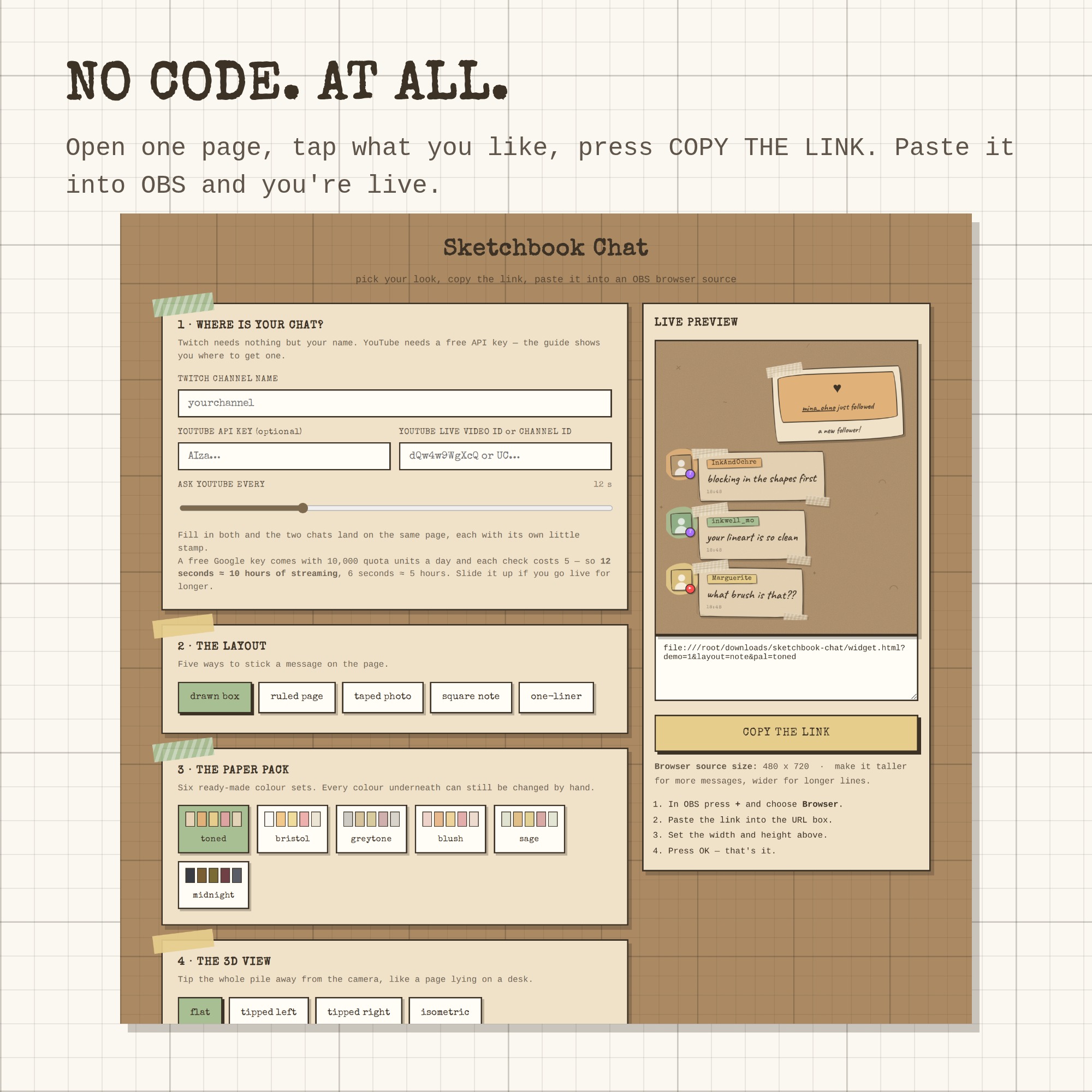
- settings.html — a tap-and-preview control panel that writes your link
- Setup-Guide.pdf — illustrated, step by step
- README.txt — the two minute version
- A free widget from the shop, plus a link to try every overlay live
★ HOW IT WORKS
1. Unzip and open settings.html
2. Type your channel name, tap a layout and a paper pack
3. Press COPY THE LINK
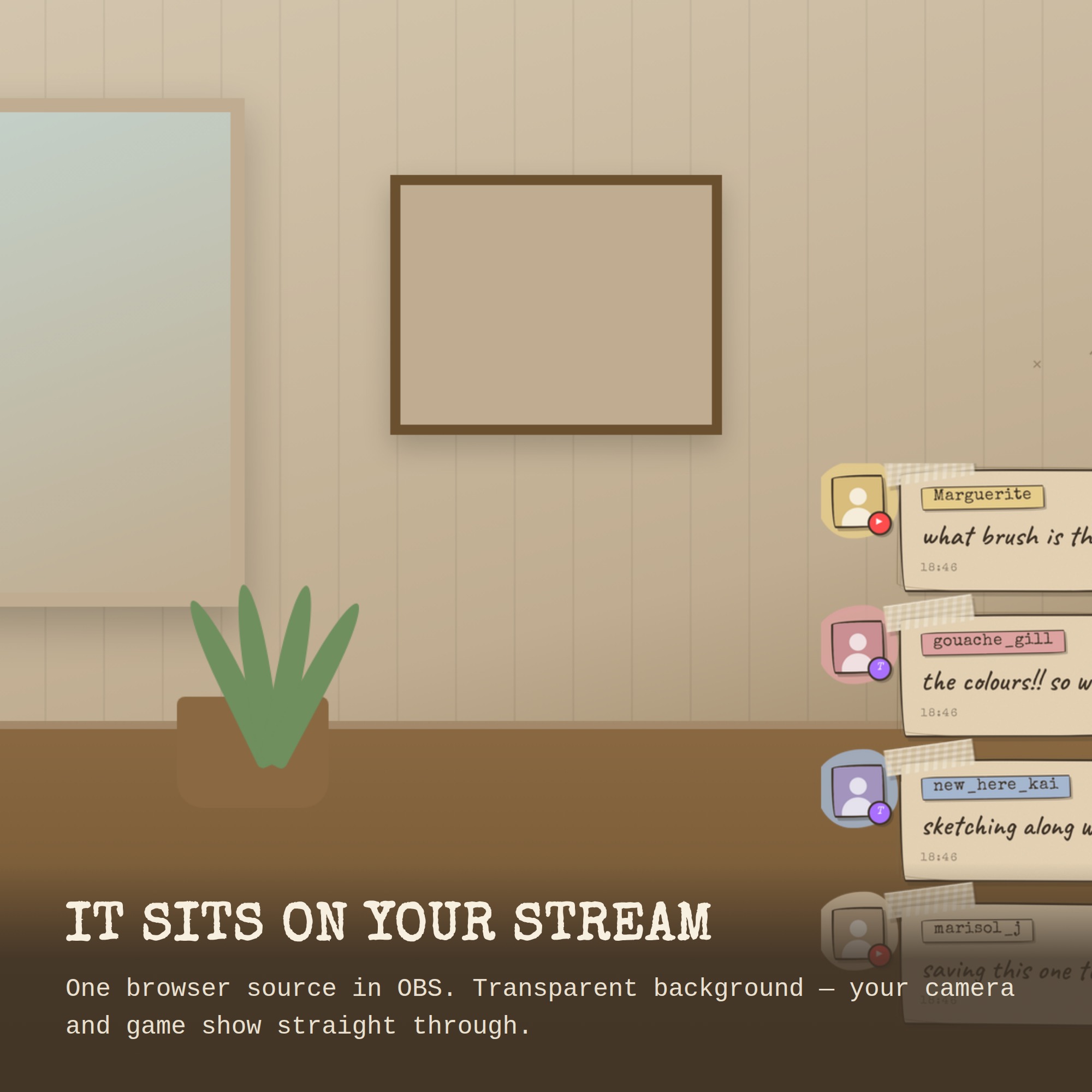
4. In OBS: + → Browser → paste → set the size → done
Made for art streams, drawing and painting sessions and cosy craft channels — but it works on any stream.
Works with OBS Studio, Streamlabs and any browser source, on Windows and Mac. Nothing to install.
This is a DIGITAL DOWNLOAD — nothing will be shipped. Single-buyer licence for your own channels, including monetised streams; please do not resell or redistribute the files.