About this widget
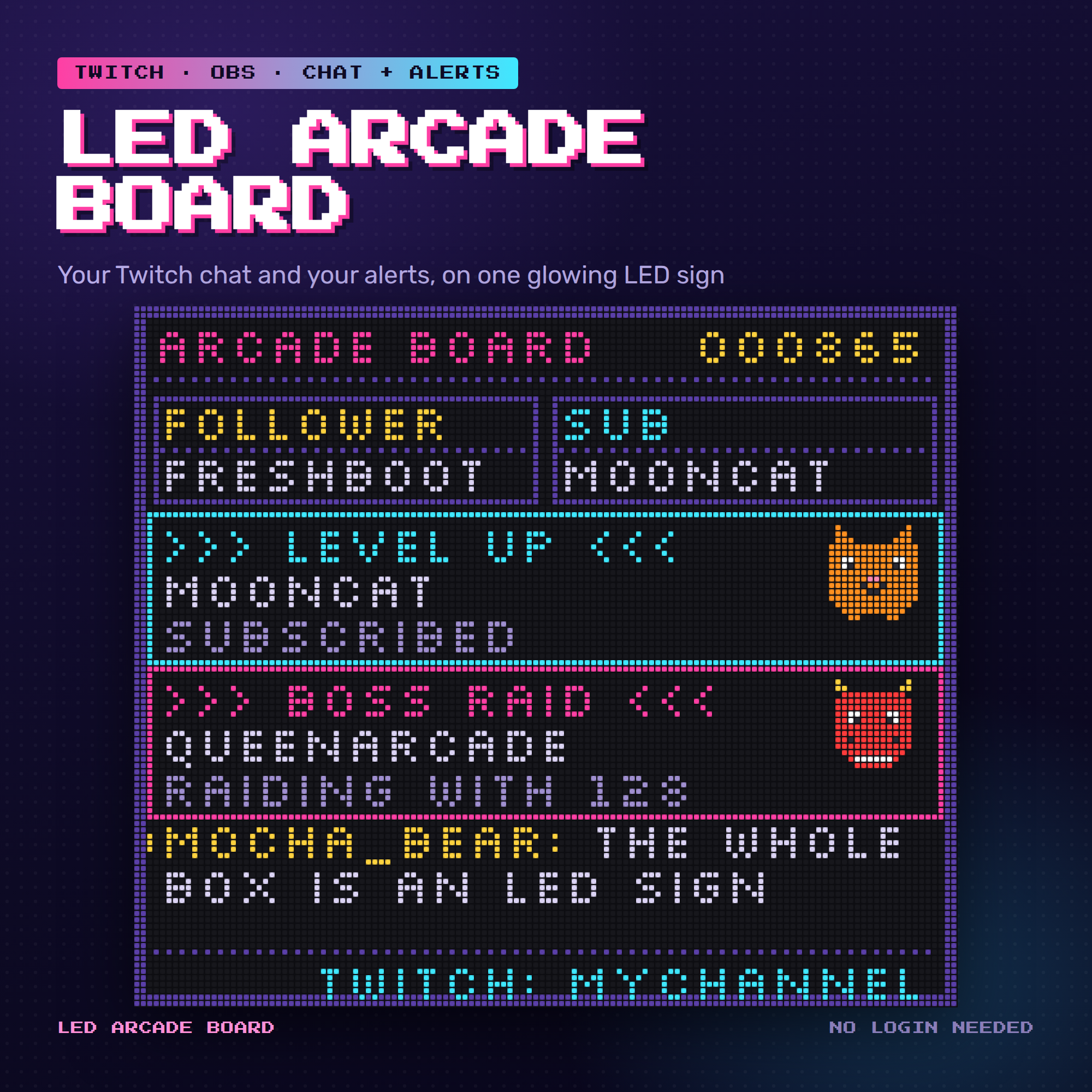
🕹️ LED ARCADE BOARD — your chat and your alerts on one glowing LED sign
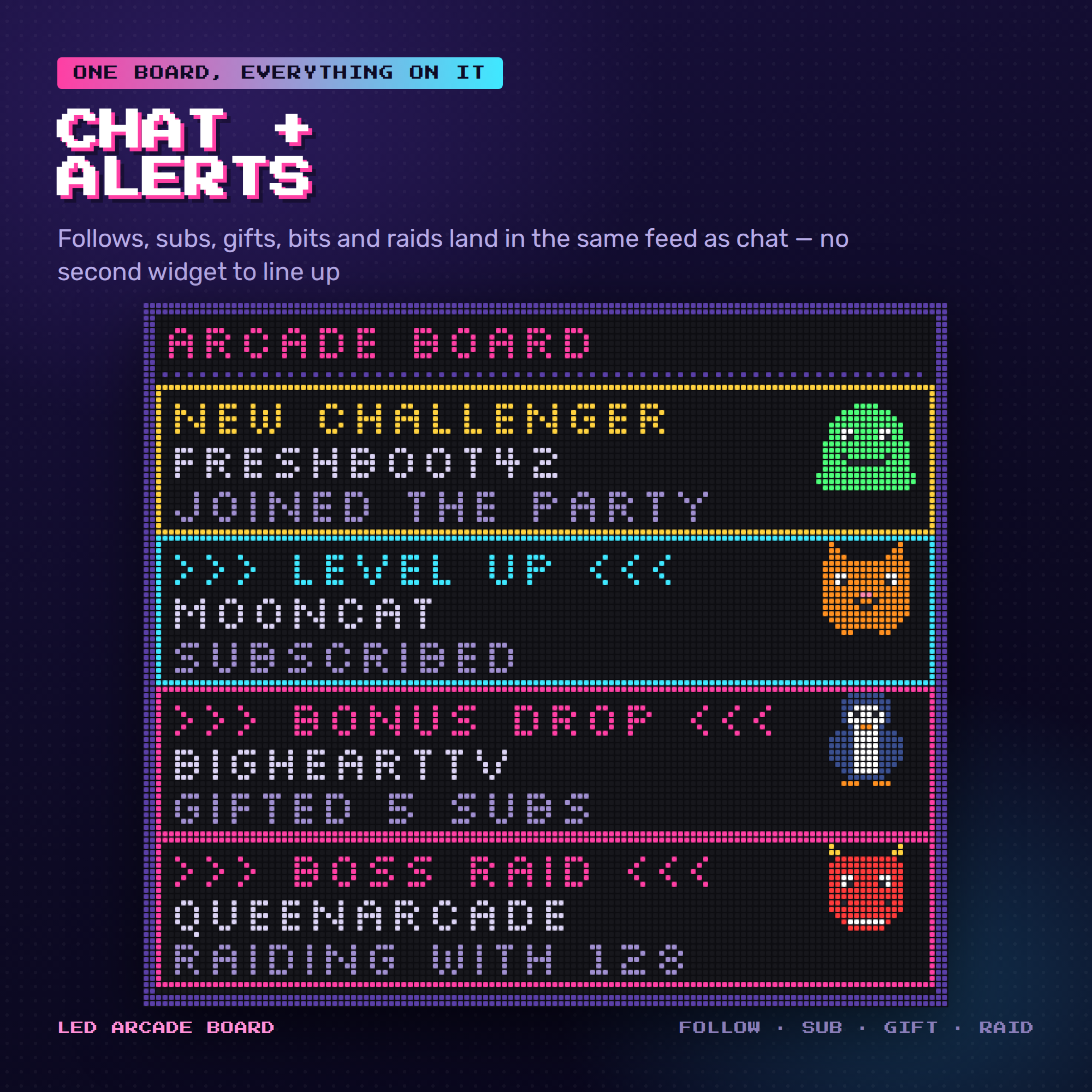
Not a chat box with an alert widget bolted on. One board: chat messages
scroll up it, and every follow, sub, gift, cheer and raid lands in the
same feed as a full-width arcade banner. Nothing to line up in OBS, and
nothing overlapping mid-stream.
Every single thing you see is drawn LED by LED — the frame, the score,
the panels, the mascots and every letter of every message.
WHAT MAKES THIS DIFFERENT
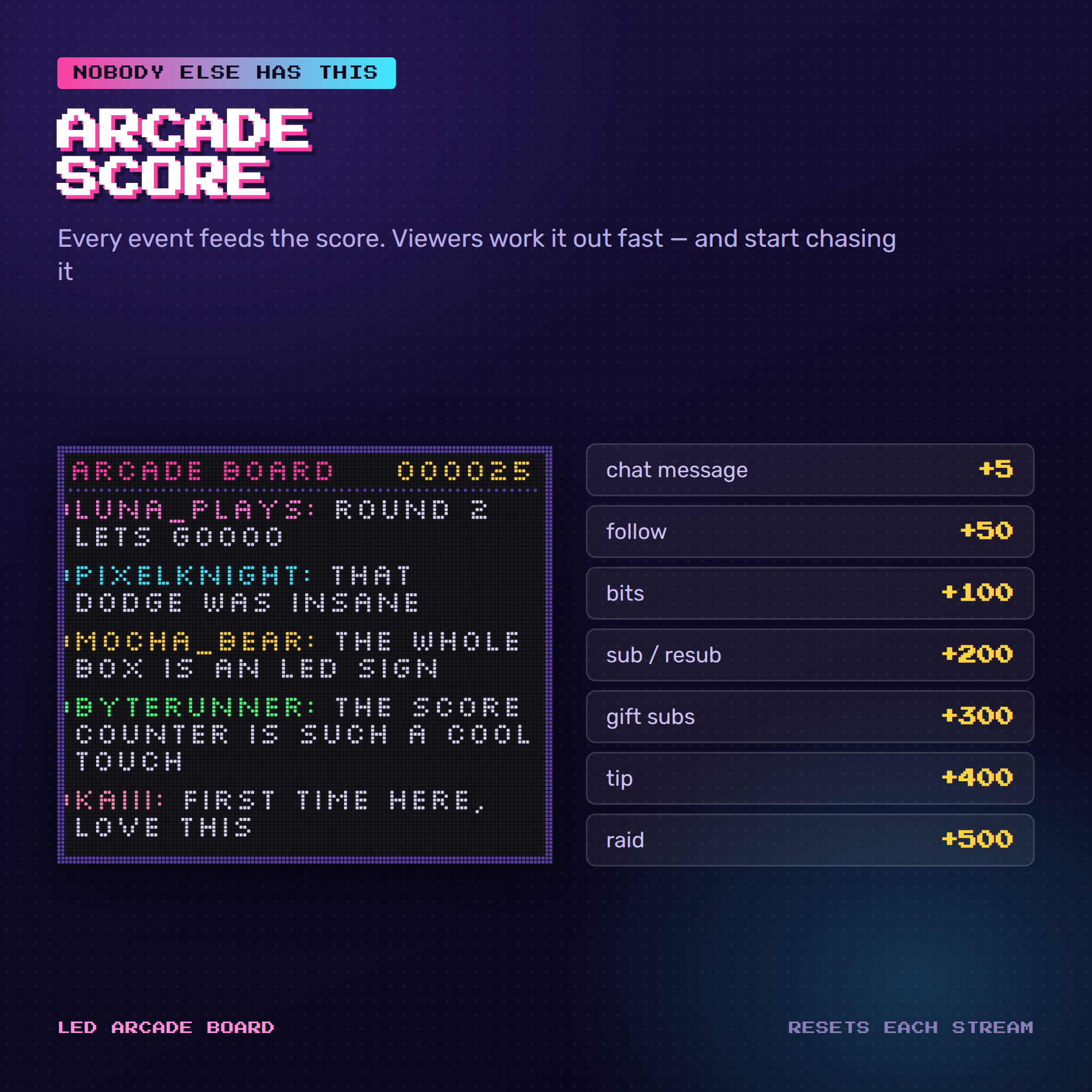
✦ THE ARCADE SCORE. Every event feeds a six-digit counter across the top.
Chat +5 · follow +50 · bits +100 · sub +200 · gift +300 · tip +400 ·
raid +500. Viewers work it out within minutes and start chasing it.
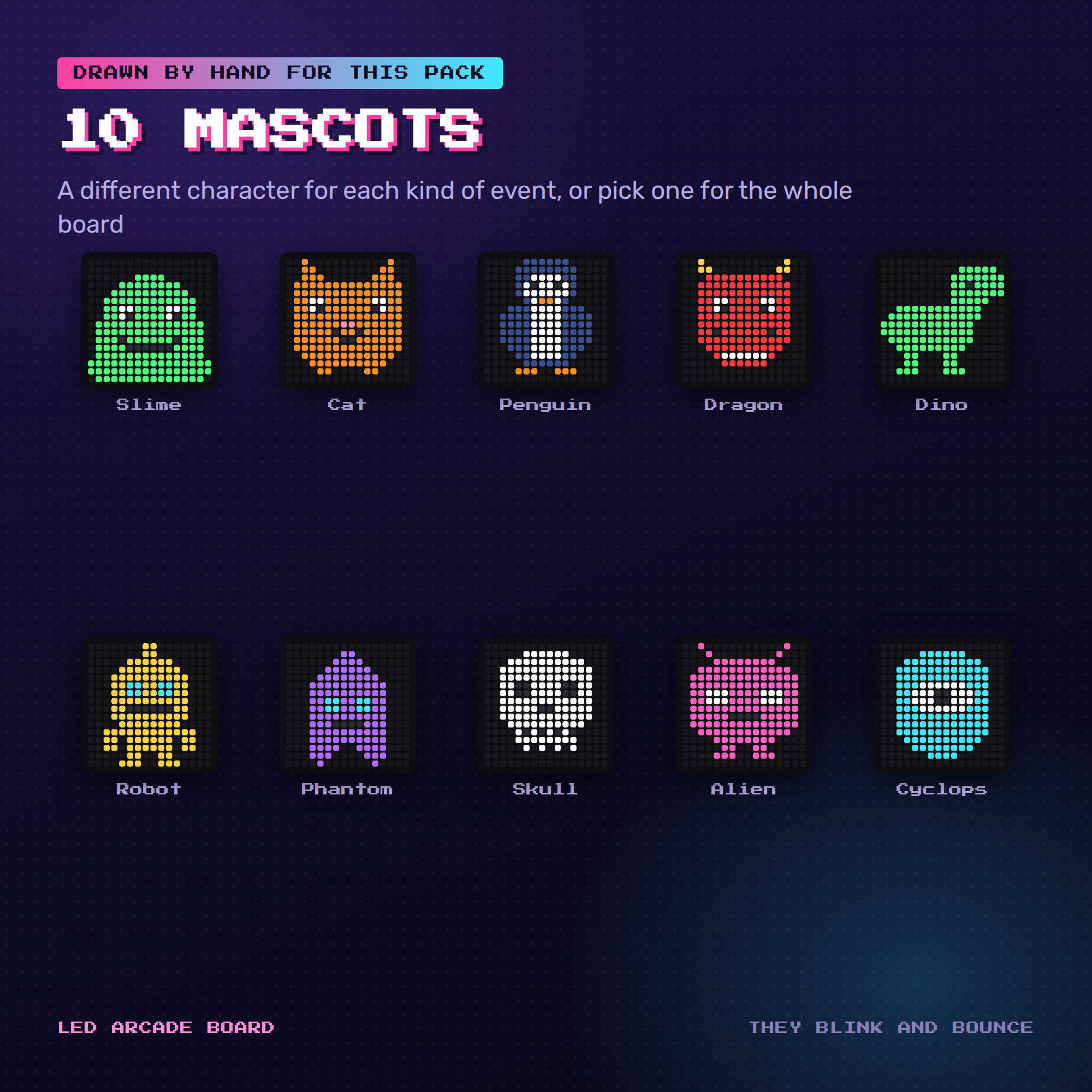
✦ 10 HAND-DRAWN MASCOTS. Slime, cat, penguin, dragon, dino, robot,
phantom, skull, alien, cyclops. They blink on their own and bounce when
an event lands. Leave it on Auto for a different one per event, or pick
one for the whole board.
✦ A REAL LED FONT, BAKED IN. Nothing loads from the internet — no Google
Fonts, no libraries, no CDN. That means it cannot half-load in OBS and
it cannot break later when a font link changes.
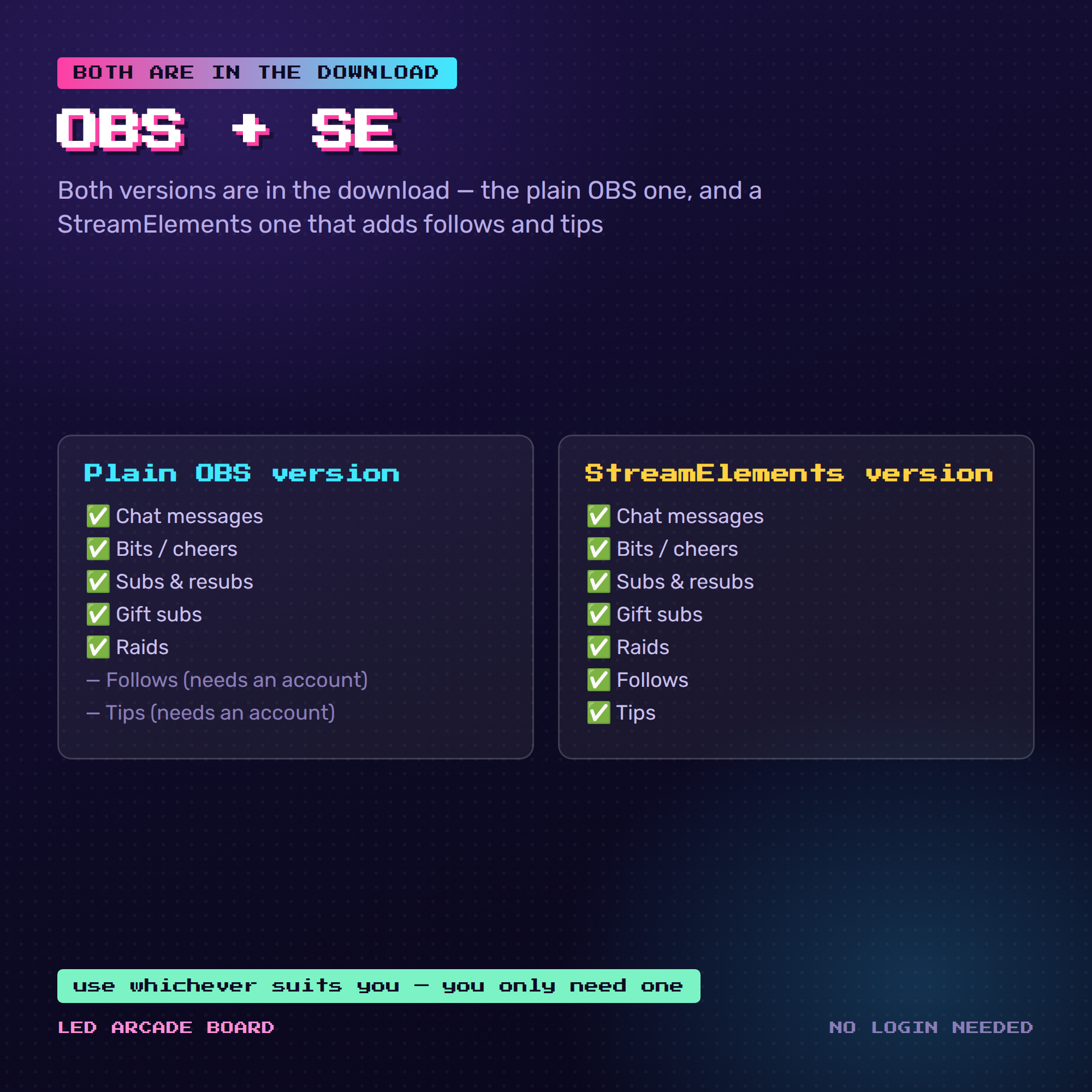
✦ BOTH VERSIONS INCLUDED. The plain OBS one needs no login at all. The
StreamElements one adds follow and tip alerts. Use whichever suits you.
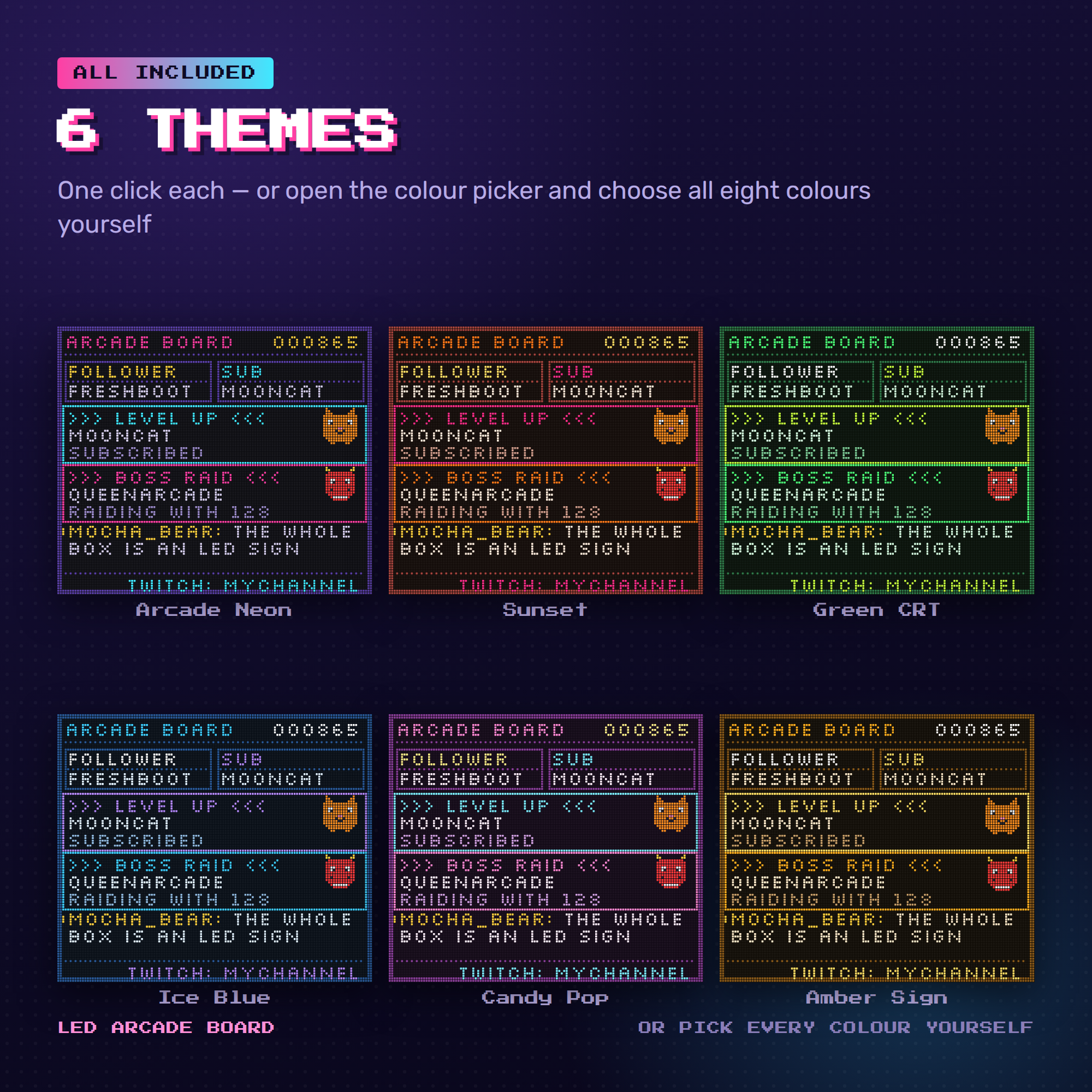
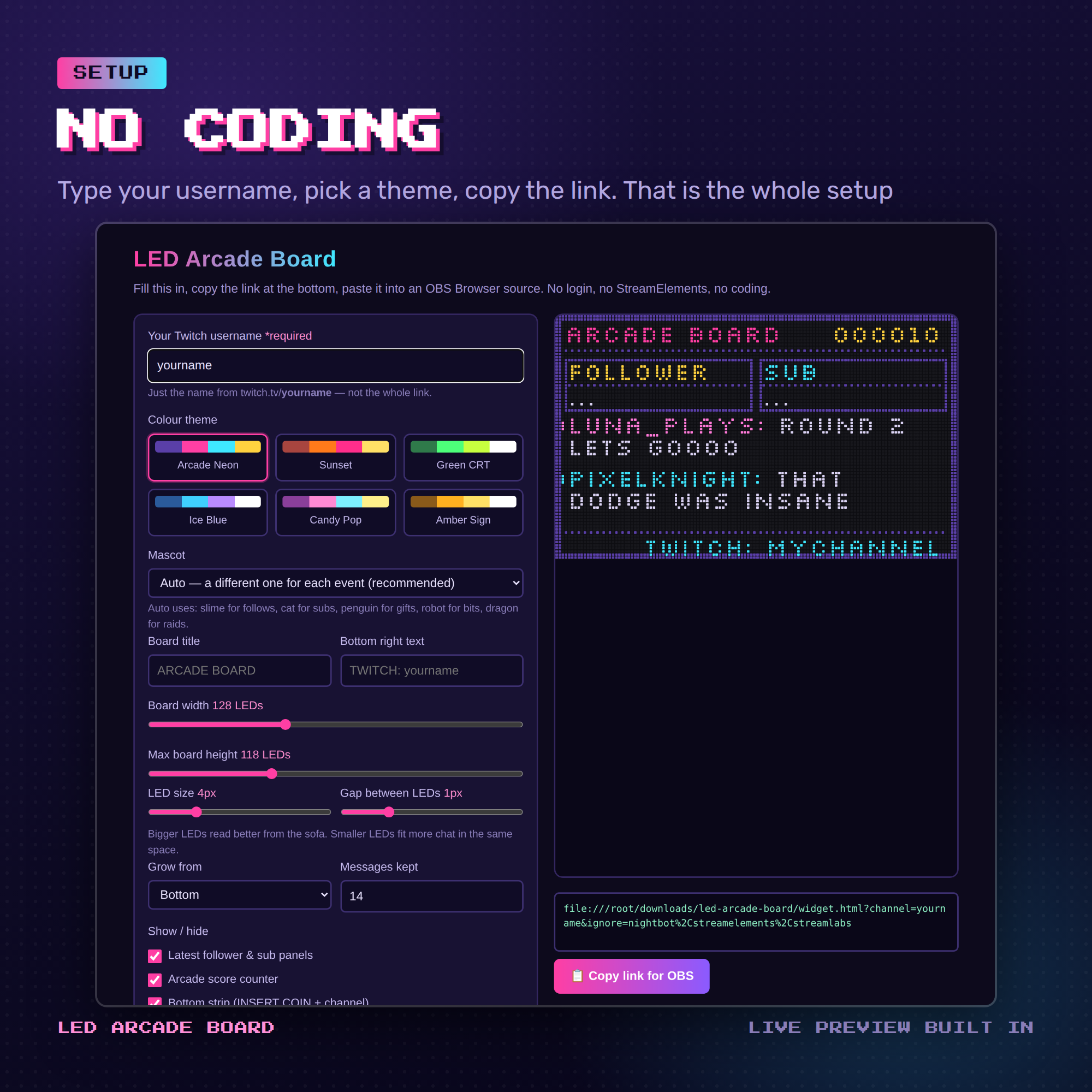
6 COLOUR THEMES
🎮 Arcade Neon 🌅 Sunset 💚 Green CRT
🧊 Ice Blue 🍬 Candy Pop 🟠 Amber Sign
Or open the colour picker and set all eight colours yourself.
YOU CAN CHANGE
✎ Theme, or every colour by hand
✎ Mascot — auto, or one of the ten
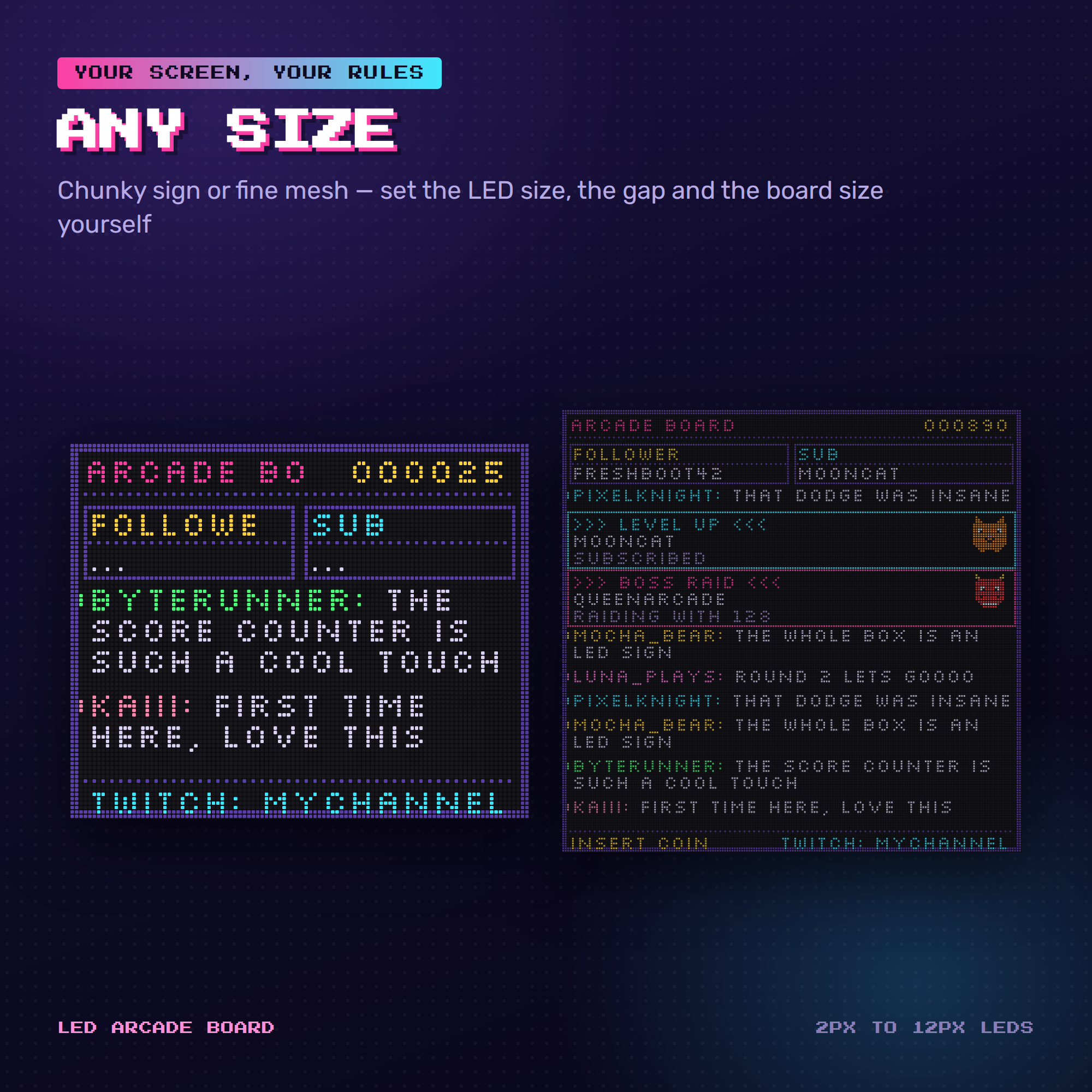
✎ Board width and height, in LEDs
✎ LED size and the gap between LEDs (chunky sign ⇄ fine mesh)
✎ Board title and the text in the bottom corner
✎ Latest follower / latest sub panels on or off
✎ Score counter on or off · bottom strip on or off
✎ Crisp LEDs or glowing LEDs
✎ Grow from the bottom or the top · how many messages stay
✎ Hide ! commands · ignore your chat bots
WHAT YOU GET (instant download)
• widget.html — the overlay OBS loads, one self-contained file
• settings.html — point-and-click setup with a live preview
• StreamElements Version — all four tabs, ready to paste
• HOW-TO-USE.txt — every option explained in plain English
• README.txt — 2-minute quick start
SETUP — ABOUT 2 MINUTES
1. Open settings.html in your browser
2. Type your Twitch username, pick a theme
3. Click "Copy link for OBS"
4. OBS → Sources → + → Browser → paste. Done 🎉
HONEST NOTE ABOUT FOLLOWS AND TIPS
The plain OBS version reads Twitch's ordinary chat connection, which
carries chat, bits, subs, resubs, gift subs and raids — no login, no API
key. It does not carry follows or tips: Twitch needs an authorised key
for follows, and tips live inside StreamElements. That is exactly why the
StreamElements version is in this download too. Set that one up instead
and follows and tips appear on the board as well.
REQUIREMENTS
• OBS Studio, Streamlabs Desktop, or anything with a Browser source
• A Twitch account — that's all
• StreamElements account only if you want follow and tip alerts
TERMS
Personal and commercial streaming use, including monetised channels.
Please don't resell, share or redistribute the files.
Questions? Message me any time — happy to help 🕹️